
Kling AI Review 2026: Is Kling 3.0 Worth $8.80/Mo?
Kling 3.0 makes video and audio in one pass. Free accounts get 66 credits a month; paid plans run $6.99 the first month, then $8.80/mo ($6.60 annual).
Read Article →
Higgsfield AI is worth paying for if you want most of the big video and image models on one bill and you’re ready for the $59 Plus plan, which is where the full Seedance lineup starts. I tried the free plan for this Higgsfield AI review, and it’s really an image plan with one free video effect thrown in.
My free account came with 10 credits, which covers dozens of Soul 2.0 images, and one camera-move effect is on the house.
Start Free on Higgsfield →Higgsfield AI is an image and video app that puts its own models next to big third-party ones like Kling 3.0, Seedance, Veo and Sora 2, and you pay for all of them from one credit balance. Its own models are the Soul image line and Genjutsu for video. There are also Effects, preset camera moves that turn a still image into a short clip, plus Cinema Studio and Marketing Studio sections I haven’t tried yet.
Higgsfield raised a $400 million Series B in August 2026 at a $5.4 billion valuation.
If you’d rather have one dedicated video tool, my roundup of the best AI video generators compares the main options.
I signed up for a free account and ran two jobs on it, a Soul 2.0 image and an Earth Zoom clip made from a picture of my own. That makes this a first look. I haven’t tested the paid plans yet, and I’ll update this review when I have. My general approach to reviews is on the how we test page.
Yes, as long as you mostly want images. My account came with 10 credits, though Higgsfield only promises “limited use” on the free plan, so yours might differ. At an eighth of a credit per Soul 2.0 image, 10 goes a long way. The upselling started before I’d made anything, which put me off a bit.
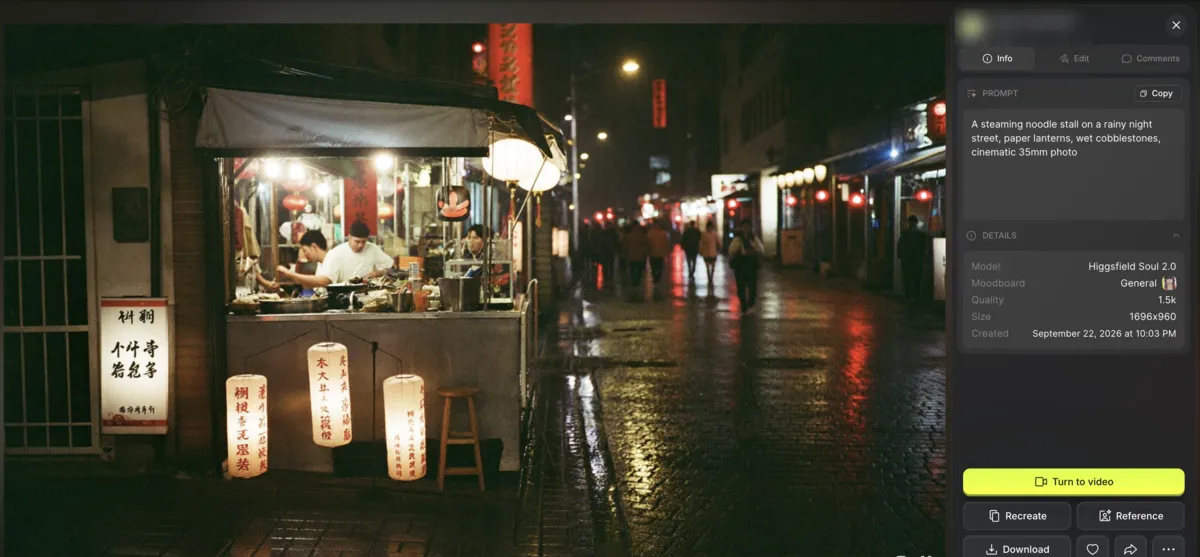
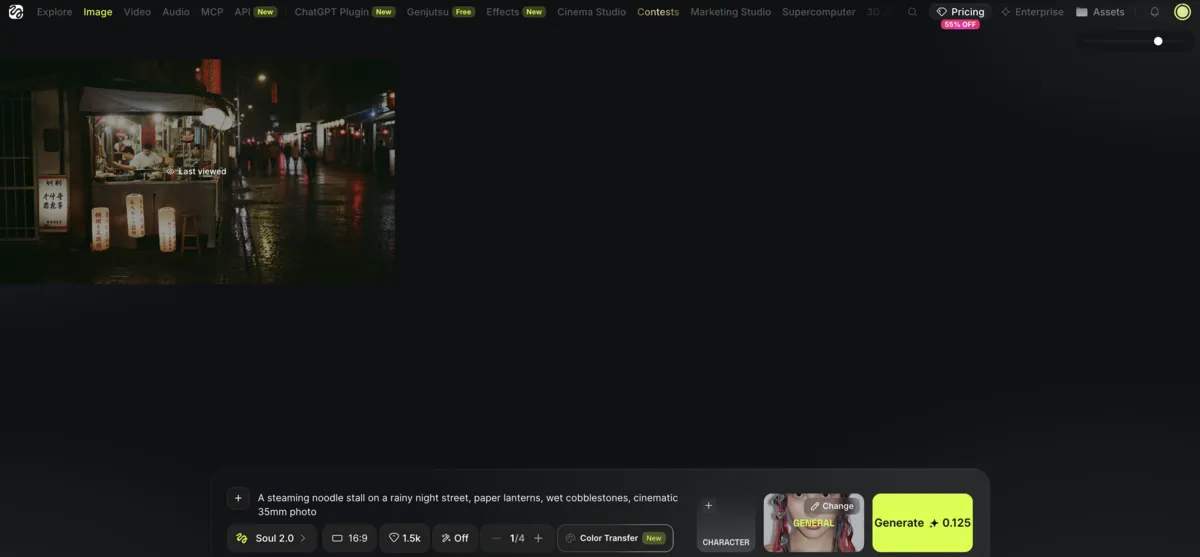
I asked Soul 2.0, Higgsfield’s own image model, for “a steaming noodle stall on a rainy night street, paper lanterns, wet cobblestones, cinematic 35mm photo”. It nails the film look, right down to the grain, and the warm lantern light on the wet cobblestones is spot on. The cooks at the stall and the people walking past look right too.
It missed two things. The lettering on the lanterns and signs looks Chinese but is made-up script, and for a “steaming” noodle stall, there’s no steam at all. I’d use it for mood and lighting without a second thought, but I wouldn’t trust it with signs people need to read.
You also get one free go at Effects, and I spent mine on Earth Zoom. I gave it an image I’d made myself, a stone path leading to a red-and-white lighthouse at dusk, and a short while later I had a 10-second clip with sound that starts in orbit and dives all the way down to my lighthouse.
In the last few seconds, a man in a dark jacket shows up on the path. He’s nowhere in my image. The video itself is pretty impressive, though.
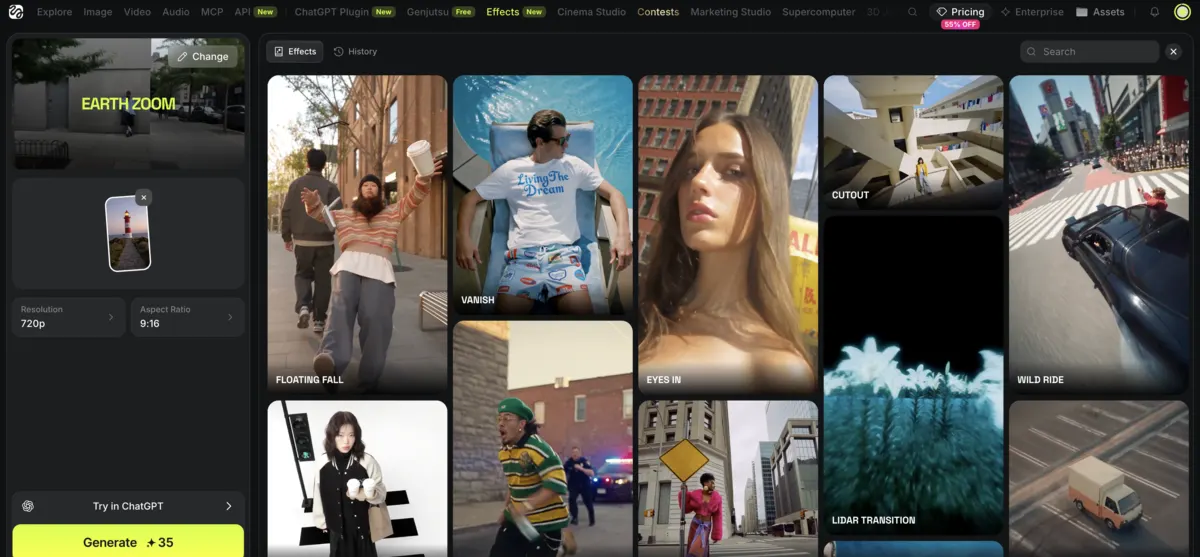
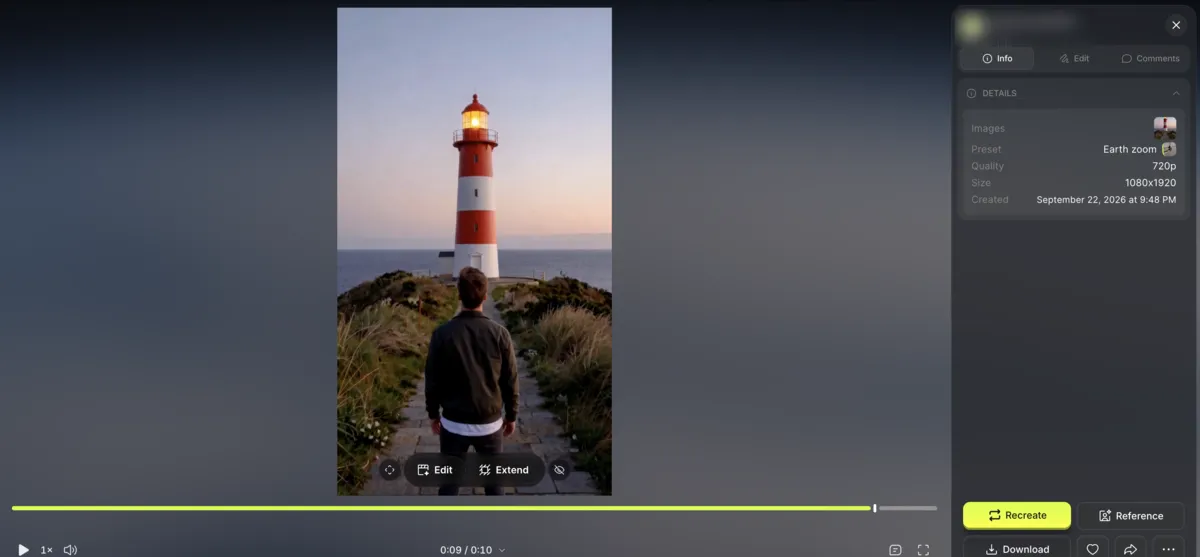
The download had no watermark, which I liked. A second run would cost 35 credits, more than my whole free balance. It’s fun and good enough to post, but for client work you’d have to check every frame for things you never asked for.
Text-to-video is where the free plan runs out. I tried the cheapest Seedance model, 2.0 Mini, which is priced at 4 credits, and Higgsfield asked me to upgrade anyway. A single 8-second Kling 3.0 clip, at about 14 credits, is out of reach on 10 too. Starter ($19) gets you Seedance 2.0 Fast and Mini, and the rest of Seedance is a Plus ($59) thing, so if video is the point, budget for a paid plan. You also can’t top up credits without a subscription.
Don’t count on Genjutsu, Higgsfield’s own video model, to fill the gap. It restyles or swaps things in a video you already have and can’t make one from text.
Past the free plan, Starter is the cheapest at $19 a month for 270 credits. That’s roughly 15 Seedance 2.0 Fast clips or 135 Nano Banana Pro images, fine for dabbling but thin if you want to make video every week.
Plus is the plan I’d look at first. At $59 a month, or $47 billed annually, you get the full Seedance lineup and 1,200 credits, enough for roughly 53 Seedance 2.0 clips.
Ultra is $129 a month, or $99 billed annually, and it’s the cheapest per credit, with 3,000 a month that you can raise to 6,000 or 9,000. Teams starts at $65 per seat a month, billed annually, and all of these prices exclude VAT.
| Plan | Annual (per month) | Monthly |
|---|---|---|
| Free | Annual (per month) $0/mo | Monthly $0/mo |
| ||
| Starter | Annual (per month) $19/mo | Monthly $19/mo |
| ||
| Recommended Plus | Annual (per month) $47/mo billed annually | Monthly $59/mo |
| ||
| Ultra | Annual (per month) $99/mo billed annually | Monthly $129/mo |
| ||
Whichever Higgsfield plan you pick, video eats credits fast. An 8-second 720p Kling 3.0 clip is about 14 credits, and Seedance 2.0 runs about 22 credits per 5 seconds at 720p, or 45 at 1080p. A Nano Banana Pro image costs 2.
Plan credits reset every month, so anything you don’t use is gone. Top-up credits last longer, 90 days from when you buy them. You always see what a job costs before you run it, which helps when you’re working with a small balance.
Not quite. On Plus and Ultra, “unlimited” means 7-day windows for a handful of specific models, and everything else still costs credits. Those unlimited jobs run in the standard queue while credit jobs jump ahead of them, and speed can drop at busy times.
Starter, Plus and Ultra side by side, with what each one unlocks. Paying yearly takes Plus to $47 a month and Ultra to $99.
Compare Higgsfield Plans →You can get your money back within 7 days of your first purchase, as long as you haven’t used any credits, and Higgsfield keeps a fee of up to 6%. Renewals can’t be refunded at all. In the EU and UK, your 14-day right of withdrawal also ends the moment you spend a credit.
To cancel, go to your account settings or email support@higgsfield.ai. Your plan keeps running until the end of the billing term, and you don’t get anything back for the days you don’t use. If you’re on the fence, decide in the first week, before you spend anything.
Yes, Higgsfield is a real company with serious money behind it, including a $400 million Series B in August 2026. The real site is higgsfield.ai, and look-alike domains show up in search results, so check the address before you pay. It has also run into trouble twice this year.
In February 2026, Forbes Australia reported that material sent to creators included racist and obscene AI videos and non-consensual celebrity deepfakes. The report also covered stock footage passed off as AI and complaints about creator payouts. A Higgsfield co-founder said the content was “not representative.”
In July 2026, a terms update gave Higgsfield a perpetual, transferable license to user content. People pushed back, and Higgsfield revised it three days later. You can use your outputs commercially on every plan, free included, but your content can still be used for model training by default on every plan except Enterprise. I’d think twice before uploading anything private.
Higgsfield makes the most sense for short-form creators, including anyone running a faceless YouTube channel, who’d rather pay one bill than juggle several apps and are ready for Plus. If you want free video, look elsewhere. And if Kling 3.0 is the only model you care about, check Kling’s own plans first.
If Kling 3.0 is what you’re after, you can get it in two places. Higgsfield runs it inside its own app next to everything else. Kling AI’s own app is cheaper, with paid plans from $8.80 a month ($6.60 a month billed annually) and 66 free credits every month. My how to use Kling AI tutorial walks you through it.
Upsampler skips subscriptions altogether. You buy credits as you need them, from 4 cents each, and use them across 18 video models. There’s also a free generator you can try without signing up.
| Tool | Starting Price | Free Plan | Video Models | Strongest Point | Weakest Point |
|---|---|---|---|---|---|
| Higgsfield | $19/mo (Starter) | 10 credits, image-first in practice | Kling 3.0, Seedance, Veo, Sora 2, FLUX, Grok, Wan and more on one balance | Many top models on one credit balance | Full Seedance lineup only from Plus at $59/mo |
| Kling AI | $8.80/mo ($6.60/mo annual) | 66 credits a month | Kling's own models, including Kling 3.0 | Lower starting price than Higgsfield's paid plans | Only Kling's own models |
| Upsampler | Pay-as-you-go, from 4 cents/credit | Free no-signup generator | 18 video models | No subscription needed, and purchased credits never expire | Some flagship models are served below their native resolution |
Higgsfield gets a 4.0 from me. Having most of the big video and image models under one bill is handy, and Soul images are cheap and look good. Plus is the plan that makes it worth paying for. The score stays at 4.0 because the free plan barely touches video and the upselling starts before you've made anything. My Earth Zoom test also threw in a stranger I never asked for. If Kling 3.0 is all you want, Kling's own app is the cheaper way to get it. I'll update this review once I've tested the paid plans.
Yes, Higgsfield AI has a free plan, but it's mostly for images. My account came with 10 credits, though Higgsfield only promises 'limited use', so yours may differ. At 0.125 credits per Soul 2.0 image, that's enough for dozens of images, and you also get one free camera-move effect such as Earth Zoom. The Seedance video model I tried needed a paid plan, and you can't buy extra credits without one.
Higgsfield AI's paid plans start at $19 a month for Starter, which gives you 270 credits and Seedance 2.0 Fast and Mini. Plus is $59 a month, or $47 a month billed annually, with 1,200 credits and the full Seedance lineup. Ultra is $129 a month, or $99 a month billed annually, with 3,000 credits and the lowest price per credit. Teams starts at $65 per seat a month, billed annually, and all prices exclude VAT.
No, Higgsfield's plan credits don't roll over. They reset every month, so anything you don't use is gone. Top-up credits last 90 days from purchase, and you can only buy them if you have a subscription.
Higgsfield refunds a first purchase within 7 days if you haven't used any credits, minus a fee of up to 6%. Renewals aren't refundable. In the EU and UK, the 14-day right of withdrawal also ends as soon as you spend a credit.
You can cancel a Higgsfield subscription in your account settings or by emailing support@higgsfield.ai. The plan keeps running until the end of the billing term, and you don't get money back for the days you don't use.
It depends on whether you want Kling on its own or lots of models in one place. Kling AI's own app is the cheaper way to get Kling 3.0, with paid plans from $8.80 a month and 66 free credits every month. Higgsfield runs Kling 3.0 next to Seedance, Veo and Sora 2 on one credit balance, with plans from $19 a month and the full Seedance lineup from $59. If you'd rather skip subscriptions, Upsampler sells pay-as-you-go credits from 4 cents each.
Yes, Higgsfield AI is a real, well-funded company, and its official site is higgsfield.ai, so watch out for look-alike domains. In February 2026, Forbes Australia reported racist and obscene AI videos and non-consensual celebrity deepfakes in material sent to creators. In July 2026, a terms update gave Higgsfield a perpetual, transferable license to user content, and it was revised three days later after a backlash.
 Featured 15 min read
 Kling 3.0 makes video and audio in one pass. Free accounts get 66 credits a month; paid plans run $6.99 the first month, then $8.80/mo ($6.60 annual).
Read Article → 11 min read
 How to use Kling AI 3.0 step by step: write a prompt, set 720p or 1080p, add a start frame, try Motion Control, and stretch 66 free credits a month.
Read Article → 21 min read
 InVideo, Synthesia, Synthesys, Fliki and Runway compared on output, pricing and free tiers. Every free option carries a watermark or a usage cap.
Read Article →