
InVideo AI Review 2026: Agent Two Tested, Plans From $20
I ran a script through InVideo's Agent Two on a free account: good stock picks, then the 10 free credits ran out. Plans from $20 to $150/mo.
Read Article →
Making an AI video takes five steps: write a script, pick a tool, generate the video, edit it, and publish it. You do all of it in a browser, and you don’t need a camera or any editing experience.
Most tools have a free plan or free credits, so you can learn the workflow before you pay for anything. For this guide I ran one short script through Fliki and InVideo on free accounts, and only Fliki finished a video. The same steps work whether you want a faceless YouTube explainer, an AI avatar reading your script, or cinematic clips generated from a prompt.
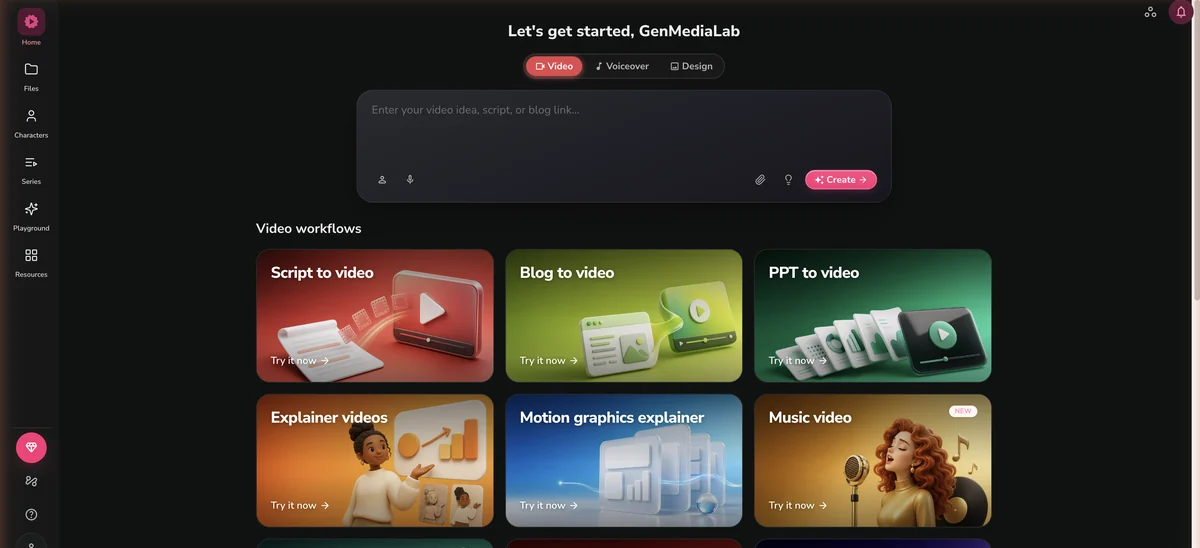
InVideo's Agent Two turns a script or a one-line idea into a narrated video from a single chat box. Starter is $20/mo, and generated Seedance footage starts on Plus at $60/mo.
Try InVideo →Not much. Any computer or tablet with a current browser will do, because the tools run in the cloud. You can review a draft on your phone, but editing is easier on a laptop.
What you spend depends on how much you publish (prices as of September 2026):
As for skills, if you can write a few sentences about what you want, you can make an AI video. Better prompts get better results, but you don’t need any technical background to start.
Every AI video starts with text, and the tool can only work with what you give it. A couple of extra minutes on the script usually saves you several regenerations later. You can write a scene-by-scene breakdown or a single paragraph about the topic.
For this guide I wrote a 115-word script on keeping houseplants alive through winter (water less, move them closer to the light, add humidity) and pasted the same text into Fliki and InVideo. I kept it short so it would fit the one-minute limit on Fliki’s free plan.
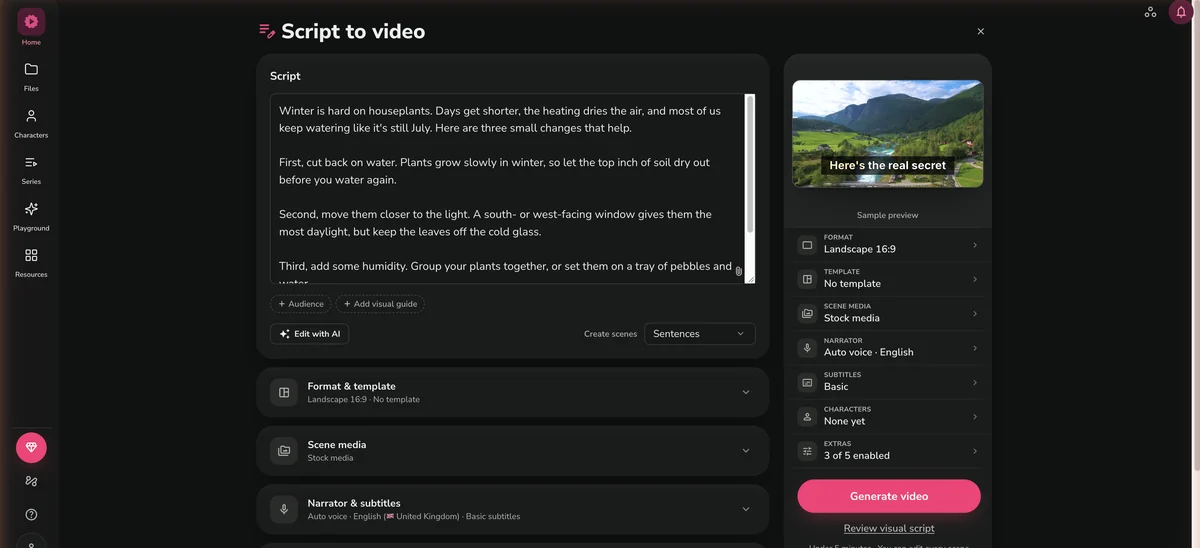
For text-to-video tools (Fliki, InVideo): paste a finished script, or describe the video in plain language and let the tool write it. Example prompt: “Create a 60-second video explaining three benefits of meditation for beginners. Use calming visuals, a female voiceover, and background music.”
For generative video tools (Kling AI, Runway): write a prompt for each shot. Example: “A woman walks through a sunlit forest, camera following from behind, golden hour lighting, cinematic.”
A simple structure for a short video:
Longer prompts with specific details get better results. Instead of “a cat video,” try “a tabby cat sitting on a windowsill watching rain, soft indoor lighting, close-up shot, shallow depth of field.”
The right tool depends on what you’re making. I group them into three categories:
Paste a script or type a topic, and the tool picks the footage, records a voiceover and adds captions. Good for YouTube, social media and marketing videos. Popular options are InVideo (Starter $20/mo) and Fliki ($28/mo).
A digital presenter reads your script on camera. Good for training, e-learning, internal updates and product demos. Popular options are Synthesia ($19/mo, or $14/mo billed annually) and Synthesys ($29/mo, or $20/mo billed annually).
Makes new footage from a text or image prompt. Good for short films, b-roll and creative social clips where you want original footage. Popular options are Kling AI ($6.99 for the first month, then $8.80/mo) and Runway ($12/mo).
If you’re new to this, I’d start with text-to-video. The tool does most of the production for you, and you can move to generative tools once you know the basics. My best AI video generators comparison scores the main options in detail.
It also helps to pick by what you’re starting with. If you already have a script or a blog post, a text-to-video tool takes it as it is. If all you have is an idea, Fliki and InVideo’s Agent Two will both write the script for you.
Here’s where the tools in this guide stand on price and free plans:
| Tool | Starting Price | Best For | Free Plan |
|---|---|---|---|
| InVideo | $20/mo (Starter) | Faceless YouTube, social media, ads | Free account, 10 credits a week |
| Fliki | $28/mo | Text-to-video with voiceover, blogs to video | Yes (3 credits/mo, 720p, watermark) |
| Synthesys | $29/mo | AI avatars, UGC-style videos | Yes (limited) |
| Kling AI | $6.99 first month, then $8.80/mo | Cinematic AI footage, realistic motion | Yes (66 credits/mo, 720p) |
| Runway | $12/mo | Creative video generation, motion control | Yes (limited credits) |
Whichever tool you picked, the pattern is the same: paste your script, pick your settings, generate and wait. Most tools have a first draft ready within a few minutes.
Using a text-to-video tool (my pick for beginners):
For my houseplant test I asked both tools for stock footage only, since generated clips cost more than a free account holds (InVideo’s cheapest Seedance clip is about 30 credits, and its free account gets 10 a week). InVideo’s agent voiced my script and picked stock clips that were mostly good, with a few off topic, but the free credits ran out before the final cut. Fliki finished the same script as 48 seconds of video on 0.8 of my 3 monthly credits.
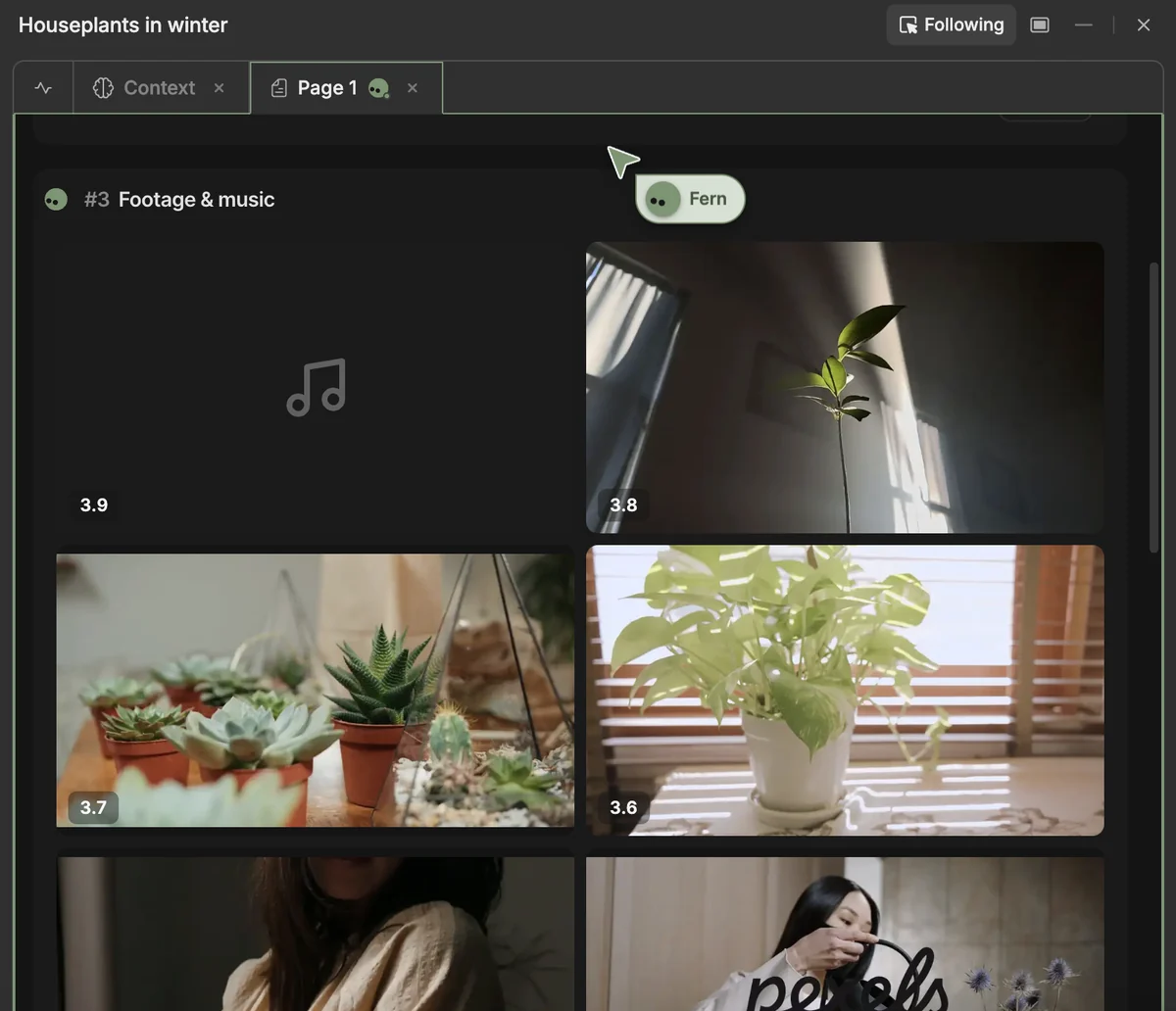
So on free plans, Fliki is the one that actually finishes a video. To judge InVideo’s real output, you need a paid plan. That’s one script on free accounts, a small test rather than a benchmark.
Using a generative video tool:
With generative tools, plan on 3-5 attempts per shot before you get something you’re happy with. The first try rarely matches what you pictured. Reword the prompt, try a different style, or rerun the same settings for another take.
Don’t publish the raw output. Even a good draft usually has a clip that looks off or a line that sounds awkward.
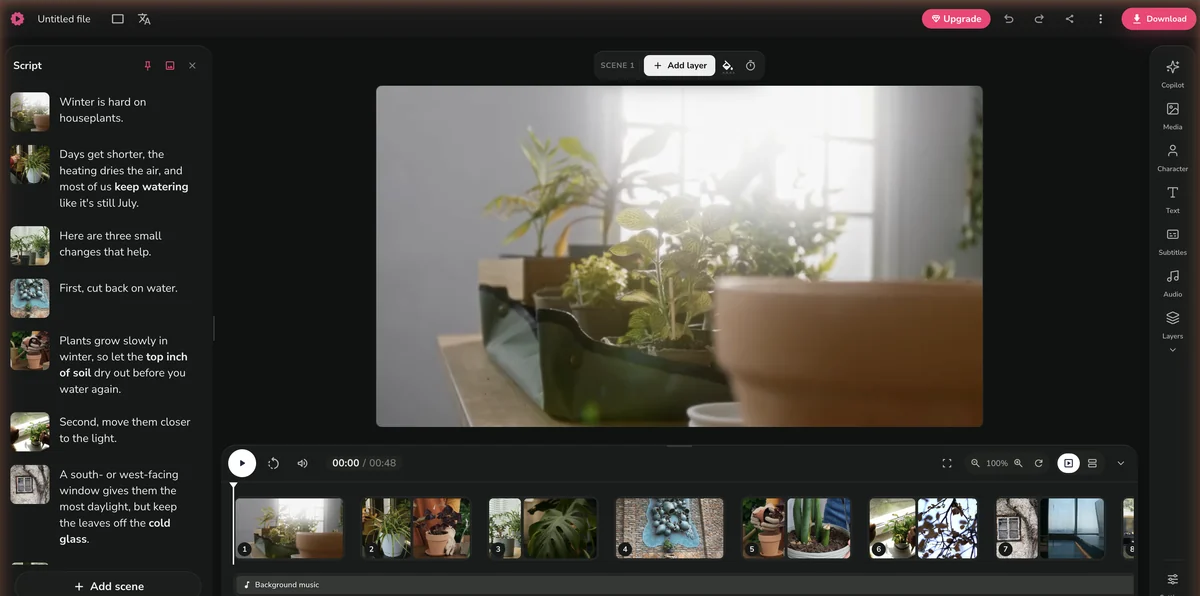
Stock-footage tools miss now and then, and you fix those misses scene by scene. In my Fliki video, the line about “the most daylight” got a shot of an empty office window, while the other nine scenes were on topic. Fliki gives every sentence its own scene, so you replace that one clip and leave the rest alone.
Other fixes worth making before you export:
InVideo has a full timeline editor on every plan, and Fliki lets you edit scene by scene, so small fixes don’t need other software. For more control, export the video and finish it in a free editor like CapCut or DaVinci Resolve.
Pick the export settings for the platform you’re posting to, download the file and upload it. Then fill in the title, description and tags so people can find the video.
This is the video Fliki exported from my houseplant script on the free plan. It’s 720p and carries the Fliki watermark; Standard ($28/mo) exports at 1080p without one.
For anything you publish, match these settings to the platform:
| Platform | Resolution | Aspect Ratio | Max Length |
|---|---|---|---|
| YouTube | 1080p or 4K | 16:9 | No limit |
| YouTube Shorts | 1080p | 9:16 | 3 minutes |
| TikTok | 1080p | 9:16 | 10 minutes |
| Instagram Reels | 1080p | 9:16 | 3 minutes |
| 1080p | 16:9 or 1:1 | 10 minutes |
Before you upload, check that:
If you plan to publish regularly, I’d start at the $20-28/month tier. Free plans are fine for learning, but I wouldn’t post a 720p video with someone else’s watermark on it. If InVideo is your pick, count on paying from the start, since its free credits didn’t cover even one short video in my test.
Paste a script, a blog post link or a slide deck and get a narrated video with stock footage and subtitles. The free plan gives you 3 credits a month, and my 48-second test used 0.8.
Try Fliki Free →Write for the ear, not the eye. AI voices read your script exactly as written, so short sentences work better than long ones. Fliki made one scene per sentence from my script, which means short sentences also give you tighter scenes. Read the script aloud before you paste it in.
Start with shorter videos. I’d rather post a tight 60-second video than a padded 5-minute one. Build up to longer formats once you know how your tool handles pacing and transitions. The faceless YouTube channel guide covers long-form strategy in detail.
Use reference images. Many platforms accept an image alongside the text prompt. A reference photo of the style or lighting you want makes the output more predictable.
Match the tool to the task. Text-to-video tools are built for explainers and marketing videos, and generative tools for cinematic and creative shots. Picking the wrong kind for your goal wastes credits and time.
Build templates. Once a workflow gives you good results, save it. Most platforms let you duplicate a project or save a prompt, which saves time on every new video.
Combine tools. Plenty of creators make footage in one tool and put the video together in another. You don’t have to do everything in one place.
Yes, for short videos. Fliki's free plan gives 3 credits a month, enough for a short 720p watermarked video (my 48-second test used 0.8); InVideo's free account has 10 weekly credits, which ran out before it finished the same script; Kling gives 66 free credits a month for short 720p clips. Synthesys has a limited free plan too. Free plans usually add a watermark and cap resolution, so they're best for learning the workflow and testing ideas before you pay for a subscription.
It depends on whether you want to start free. Fliki is the easier start on a free plan. It turned my 115-word script into a finished 48-second video with a voiceover, stock clips and subtitles, and it also takes blog posts and slide decks you've already written. InVideo is built around one chat box, where its Agent Two plans, writes, voices and edits the whole video from a prompt, so you don't need to know a timeline editor. Its free credits ran out before it finished my test script, though, so plan on the $20/mo Starter plan if you want to see what it can do.
A basic 60-second video takes 5-15 minutes from prompt to export with a text-to-video tool like InVideo or Fliki. That covers writing the prompt (2 minutes), waiting for generation (1-3 minutes), reviewing and editing (5-10 minutes), and exporting (1-2 minutes). Longer videos, or ones that need several regenerations, take proportionally more time. A 5-minute YouTube video usually takes 30-60 minutes including revisions.
It depends on the platform and the country. Most commercial AI video platforms (InVideo, Fliki, Synthesia, Synthesys) give you commercial rights to what you make on paid plans. Free plans often don't, and Fliki's and Kling's free plans are non-commercial. The AI-generated footage itself generally isn't eligible for traditional copyright protection in most jurisdictions as of 2026, but the overall composition (script, editing, arrangement) may qualify. Check the terms of service for your platform and plan.
YouTube allows AI-generated content to be monetized as long as it gives viewers something of value and follows its Community Guidelines. Videos must not be deceptive or misleading, and creators must disclose AI-generated content when it could be mistaken for real footage of real events. Faceless channels using AI narration and stock footage are eligible for the YouTube Partner Program. Low-effort, mass-produced content that adds nothing original may be flagged as spam, however it was made.
Common picks are InVideo for automated faceless videos (its Agent Two can use models like Seedance, Kling 3.0 and Google VEO 3.1), Fliki for turning scripts into narrated videos with stock footage, ElevenLabs for AI voiceovers, and Kling AI for original cinematic footage. Many creators combine tools: one for the voiceover, another for the visuals, and a free editor like CapCut or DaVinci Resolve for the final cut.
 Featured 14 min read
 I ran a script through InVideo's Agent Two on a free account: good stock picks, then the 10 free credits ran out. Plans from $20 to $150/mo.
Read Article → 15 min read
 I made a 48-second video on Fliki's free plan. 2,000+ voices on paid plans, 3 free credits a month, Standard from $28/mo. Pricing and verdict.
Read Article → 21 min read
 InVideo, Synthesia, Synthesys, Fliki and Runway compared on output, pricing and free tiers. Every free option carries a watermark or a usage cap.
Read Article → 22 min read
 Start a faceless YouTube channel with AI tools from $6/mo. Real RPM data by niche, AI voiceovers, video creation, and the new 2027 monetization rules.
Read Article →