
Best AI Video Generators 2026: Top 5 Compared
InVideo, Synthesia, Synthesys, Fliki and Runway compared on output, pricing and free tiers. Every free option carries a watermark or a usage cap.
Read Article →
InVideo AI centers on Agent Two, a chat agent that writes, voices and edits your video, with a big library of video and image models and a timeline editor. It suits YouTube and social creators ready to pay. Starter is $20 a month, Plus $60 ($50 billed yearly) and Max $150 ($100 yearly). The free account’s 10 weekly credits didn’t finish my short test.
InVideo AI is a browser-based video maker built around Agent Two, a chat agent. Instead of picking clips and syncing a voiceover yourself, you describe the video or paste a script, and the agent plans it, records the narration and puts the cut together, in any of 50+ languages.
When you’d rather do it by hand, there’s a timeline editor in the same app. It’s on every plan, along with 4K export of your own footage.
Compared with Pictory or HeyGen, InVideo covers a lot more in one subscription: generated video and images, ElevenLabs voices and music, stock footage and the editor. It isn’t the deepest tool for any one of those jobs, but the range is wide.
InVideo also launched a $10 million AI Film Studio with Abundantia Entertainment, a sign it wants to make more than social media clips.
Every video starts in Agent Two. You type what you want, or hand over a finished script, and the agent plans the video, records the voiceover, finds or generates the clips and assembles the cut.
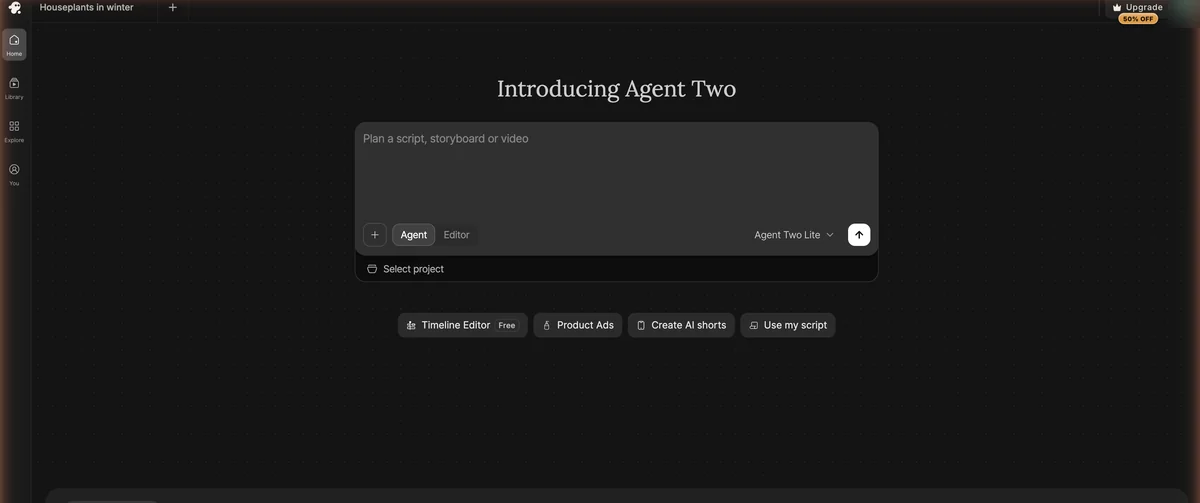
To see how far the free account goes, I wrote a short explainer script, about 115 words on keeping houseplants alive through winter: water less, move them closer to the light, add humidity. Generated clips were never an option. The cheapest Seedance clip costs about 30 credits and a free account gets 10, so I asked for stock footage only and pasted the script in through Use my script.
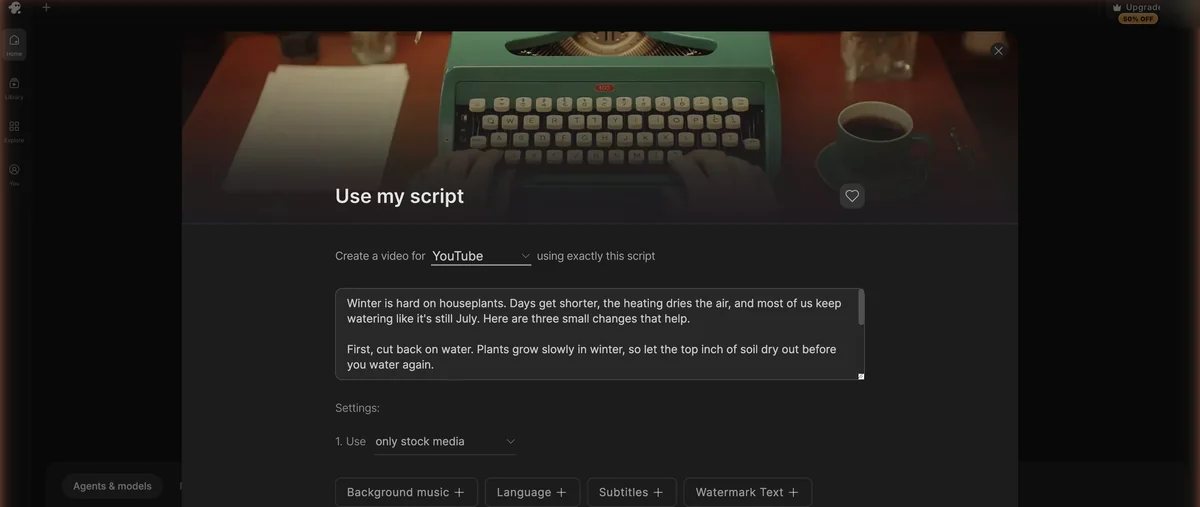
Agent Two took it from there. It recorded the narration with an ElevenLabs voice and pulled stock clips from Pexels and Storyblocks. Most of them fit well, like the succulents and a pothos in window light, though a couple of shots of people had nothing to do with plants.
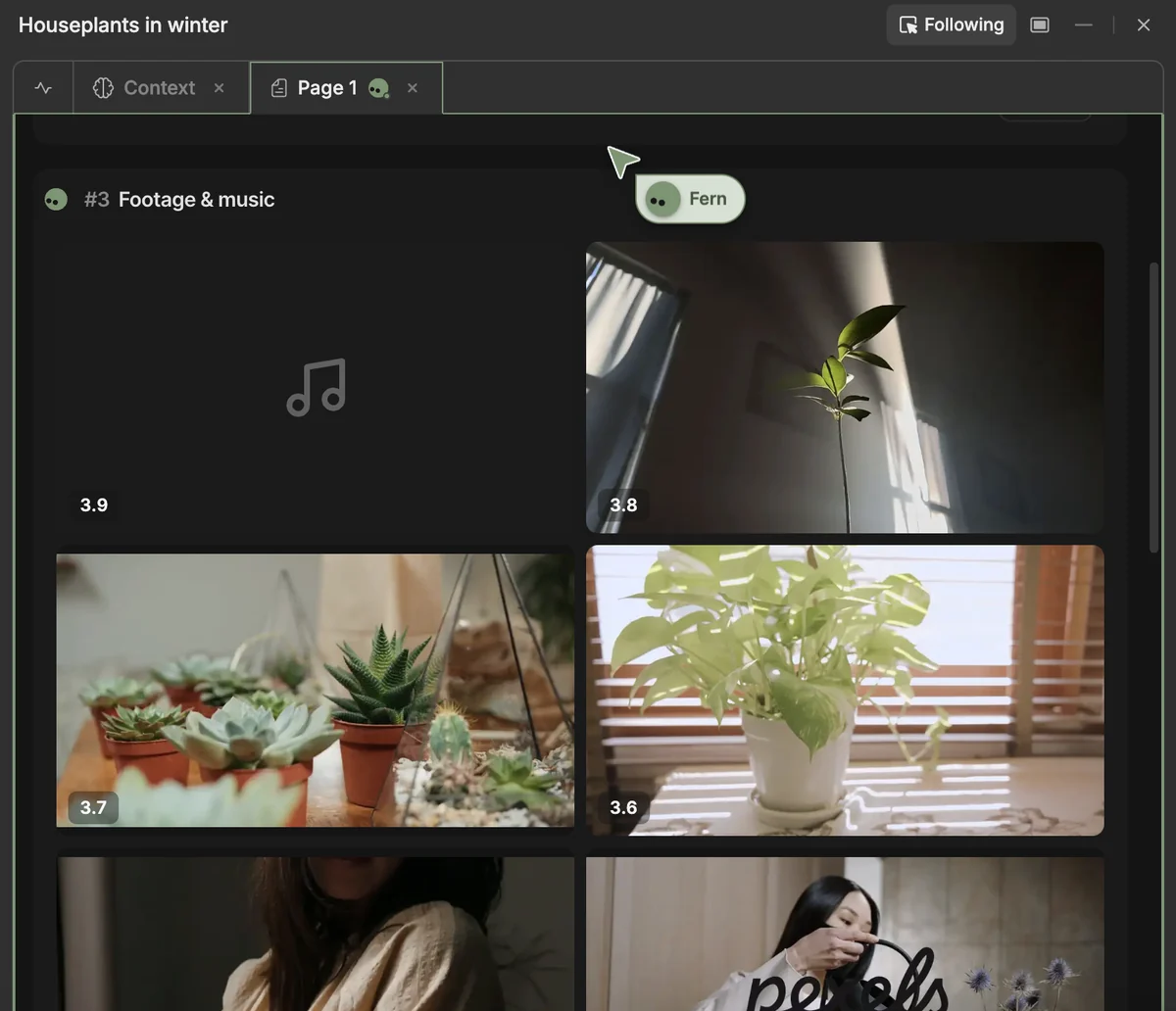
Before it could assemble the final cut, my 10 free credits ran out, and InVideo asked me to upgrade or wait for the weekly refill. So I don’t have a finished InVideo video to show you. Fliki, by contrast, finished the same script on its free plan.
The free account lets you look around and watch the agent get started, but you won’t finish anything on it. To judge what InVideo actually makes, especially generated footage, you need a paid plan, and I haven’t tested one yet. So my score rests on InVideo as it’s offered on its paid plans, because the free account never got me a finished video. One script on a free account is a small test, not a benchmark.
A chat agent that plans, writes, voices and assembles the video. Starter gets the Lite version, and Plus adds Pro and Ultra.
Seedance, Kling 3.0, Google VEO 3.1, Runway Gen-4.5 and more, each paid for per clip in credits.
Nano Banana Pro, GPT Image 2.5, Seedream 5.0 and FLUX. A Nano Banana Pro image costs about 2.5 credits.
ElevenLabs voices and music, plus Google Lyria 3. The narration in my test came from an ElevenLabs voice.
Color, audio and 3D tools for fixing things by hand, on every plan. Your own footage exports in 4K.
Premium stock clips each month: 100 on Starter, 200 on Plus and 500 on Max. Agent Two also pulls clips from Pexels and Storyblocks.
Several people can work on the same video at once, on every plan. Plans take up to 5, 10 or 20 seats.
Agent Two can make videos in more than 50 languages.
Agent Two replaced InVideo’s earlier v4 agent, Agent One. It’s the chat agent behind every video. It plans the video, writes the script or takes yours, records the voiceover and assembles the cut, in more than 50 languages.
It comes in three levels, Lite, Pro and Ultra. Starter only gets Lite, and Plus unlocks all three. My test ran on a free account, so I can’t tell you yet how much Pro and Ultra add.
As of September 2026, InVideo’s video models are Seedance 2.5 and 2.0, Kling 3.0 (plus Turbo and Omni), Google VEO 3.1 (plus Fast and Lite), Gemini Omni Flash, MiniMax H3, Runway Gen-4.5, Luma Ray 3.2, Wan 3.0, Pixverse V6 and LTX 2.5. For images there’s Nano Banana Pro, GPT Image 2.5, Seedream 5.0 and FLUX, and for audio, ElevenLabs voices and music and Google Lyria 3.
Every generated clip costs credits. Five seconds of Seedance 2.0 Fast at 720p is about 30, Seedance 2.0 at 1080p about 38 and Seedance 2.5 at 1080p about 50. Starter can’t use Seedance at all, so you need Plus for it.
Sora 2 is no longer in InVideo, because OpenAI announced the end of Sora on March 24, 2026, closed the Sora app on April 26 and shut the Sora API on September 24.
When you’d rather fix something by hand, the timeline editor has color, audio and 3D tools, and it’s on every plan. Your own footage exports in 4K, and several people can edit the same video at once. It won’t replace DaVinci Resolve or After Effects, but it’s handy for quick fixes without leaving InVideo.
InVideo prices its plans per seat, and each one comes with a monthly credit balance. Everything the agent does draws on it, from the voiceover to each generated clip, and every model costs a different amount.
Starter is the cheap way in at $20 a month, whichever way you pay, but it’s Agent Two Lite only and has no Seedance. If you want generated footage, Plus is the plan I’d look at first. Max is for heavy users and has the lowest price per credit.
| Plan | Yearly | Monthly |
|---|---|---|
| Yearly $20/mo billed annually | Monthly $20/mo | |
| ||
| Recommended | Yearly $50/mo billed annually | Monthly $60/mo |
| ||
| Yearly $100/mo billed annually | Monthly $150/mo ($135 first month) | |
| ||
For 5 to 30 seats, the business plans cost $79 (Team) or $215 (Scale) per seat a month, and Enterprise pricing is custom. InVideo’s pricing page has no free plan, but a free account gets 10 credits that refill every week.
Generated video is what eats credits. Five seconds of Seedance 2.0 at 1080p costs about 38, so the 2,000 credits on Plus buy about 52 of those clips a month, and a Nano Banana Pro image is about 2.5. The voiceover and stock picks cost credits too. On my free account, 10 credits covered the narration and clip selection for my houseplant script and ran out before the final cut.
Clip and image counts assume you spend a plan's monthly credits on nothing else.
| Model | Credits (approx.) | Starter (400/mo) | Plus (2,000/mo) | Max (5,000/mo) |
|---|---|---|---|---|
| Seedance 2.0 Fast, 720p | 30 per 5 seconds | Not included | ~66 clips | ~166 clips |
| Seedance 2.0, 1080p | 38 per 5 seconds | Not included | ~52 clips | ~131 clips |
| Seedance 2.5, 1080p | 50 per 5 seconds | Not included | ~40 clips | ~100 clips |
| Nano Banana Pro | 2.5 per image | ~160 images | ~800 images | ~2,000 images |
Whatever you don’t use in a month is gone, and InVideo can change what each model costs without notice. If you’re planning around a set number of clips, leave yourself some room.
Starter is $20 a month for 400 credits. Plus adds Seedance and the Pro and Ultra agents for $60, or $50 a month billed yearly.
See InVideo AI Plans →If you’re new to AI video creation, the how to make AI videos guide walks you through it, from prompt to published video.
InVideo prices and features as of September 2026. It has the widest choice of generated video of the four.
| Feature | InVideo AI | HeyGen | Pictory | Synthesia |
|---|---|---|---|---|
| Starting Price | $20/mo | $24/mo | $25/mo | $22/mo |
| Free Plan | Free account, 10 credits/week | No | No (14-day trial) | No |
| Generative Video | Seedance, Kling 3.0, VEO 3.1 and more | No | Limited | No |
| AI Avatars | Express + Pro clones | 700+ studio avatars | Basic (new in 2.0) | 250+ avatars |
| Voice Cloning | Yes | Yes | Not yet | Yes |
| Conversational Editing | Yes | No | No | No |
| Blog-to-Video | No | No | Yes (core feature) | No |
| Platform Auto-Sizing | Yes | Limited | Yes | Yes |
| VFX Tools | Color, audio and 3D tools | No | No | No |
| Max Resolution | 4K (own footage) | 4K | 1080p | 1080p |
| Languages | 50+ | 175+ | 29 | 140+ |
| Team Collaboration | Real-time multiplayer | Limited | Team plan only | Team plan only |
| Rating | 4.7/5 | 4.0/5 | 3.8/5 | 4.7/5 |
InVideo’s biggest advantage over these three is generated video. Seedance, Kling 3.0 and VEO 3.1 sit in the same app as the agent and the editor, though Seedance needs Plus. For avatar videos I’d look at HeyGen, for turning blog posts into video Pictory, and for corporate training Synthesia.
My Pictory vs InVideo comparison goes deeper on the closest competitor at this price. Fliki vs InVideo 2026 covers the voice-first alternative. And if generated clips are what you care about, my Kling AI vs InVideo comparison puts the two side by side.
InVideo gets a 4.7 from me for what its paid plans offer. Starter, at $20 a month, gives you Agent Two Lite and 400 credits, which suits narrated stock-footage videos, but no Seedance. Plus, at $60 a month or $50 billed yearly, is where generated video starts, with Seedance, all three agent levels and 2,000 credits, or about 52 five-second Seedance 2.0 clips at 1080p. Max costs $150 a month, or $100 billed yearly, and has the lowest price per credit. The free account is only good for a look around. Its 10 weekly credits voiced my script and found the stock clips, then ran out before the final cut. I'll update this review once I've tested a paid plan.
Not in a way that gets you a finished video. InVideo AI's pricing page lists no free plan, but a free account gets 10 credits that refill every week. In my test, those credits covered the voiceover and stock clips for a 115-word script, then ran out before the final cut. The same script became a 48-second video on Fliki's free plan. InVideo's paid plans start at $20 a month for Starter.
Yes, InVideo AI is a legitimate company. In 2026 it launched a $10 million AI film studio with Abundantia Entertainment, and I used a free InVideo account for this review. Like any cloud video tool, it processes your scripts and footage on its own servers, so read its privacy policy before you upload anything sensitive.
InVideo AI's Starter plan is $20 a month, billed monthly or yearly, with 400 credits and Agent Two Lite but no Seedance. Plus is $60 a month, or $50 a month billed yearly, with 2,000 credits, Seedance and all three Agent Two levels. Max is $150 a month (the first month is $135), or $100 a month billed yearly, with 5,000 credits and the lowest cost per credit. Business plans cost $79 (Team) or $215 (Scale) per seat a month for 5 to 30 seats, and Enterprise is custom. There's no free plan on the pricing page, but a free account gets 10 credits a week.
No. OpenAI announced the end of Sora on March 24, 2026, closed the Sora app on April 26, 2026 and shut the Sora API on September 24, 2026, and InVideo AI no longer offers Sora 2. Inside InVideo, the video models now include Seedance 2.5 and 2.0, Kling 3.0, Google VEO 3.1, Runway Gen-4.5, Luma Ray 3.2 and others. Seedance isn't available on the Starter plan.
Every InVideo AI plan comes with a monthly credit balance: 400 on Starter, 2,000 on Plus and 5,000 on Max. Generated video costs the most. A five-second clip is about 30 credits with Seedance 2.0 Fast at 720p, 38 with Seedance 2.0 at 1080p and 50 with Seedance 2.5 at 1080p, so Plus buys about 52 Seedance 2.0 clips at 1080p. A Nano Banana Pro image is about 2.5 credits. Unused credits don't roll over, and InVideo can change credit costs without notice. A free account gets 10 credits a week, which in my test covered a voiceover and stock picks but not the final cut.
It depends on what you start from. Pictory is built around turning existing blog posts and scripts into video. InVideo AI takes scripts too, through its Agent Two chat agent, and adds generated video from models like Seedance, Kling 3.0 and VEO 3.1 plus a timeline editor, with plans from $20 a month. If you want generated footage, InVideo covers more; if you mostly repurpose written content, Pictory is the more focused tool. See the detailed Pictory vs InVideo comparison for a full breakdown.
 Featured 21 min read
 InVideo, Synthesia, Synthesys, Fliki and Runway compared on output, pricing and free tiers. Every free option carries a watermark or a usage cap.
Read Article → 10 min read
 Is Pictory AI worth $25/mo? I tested text-to-video and AI voices hands-on, backed by a 5M+ clip library. Free 14-day trial. Full pros, cons, and verdict.
Read Article → 13 min read
 Pictory turns blogs into videos in minutes. InVideo's chat agent builds them from a prompt, with Seedance, Kling and VEO clips. Compare plans from $20/mo.
Read Article →