
Higgsfield AI Review 2026: Free Plan and Ultra Tested
Higgsfield AI review: on the Ultra plan, I ran the same prompts on Kling 3.0, Seedance 2.5 and Veo 3.1 and priced every clip in credits and cents.
Read Article →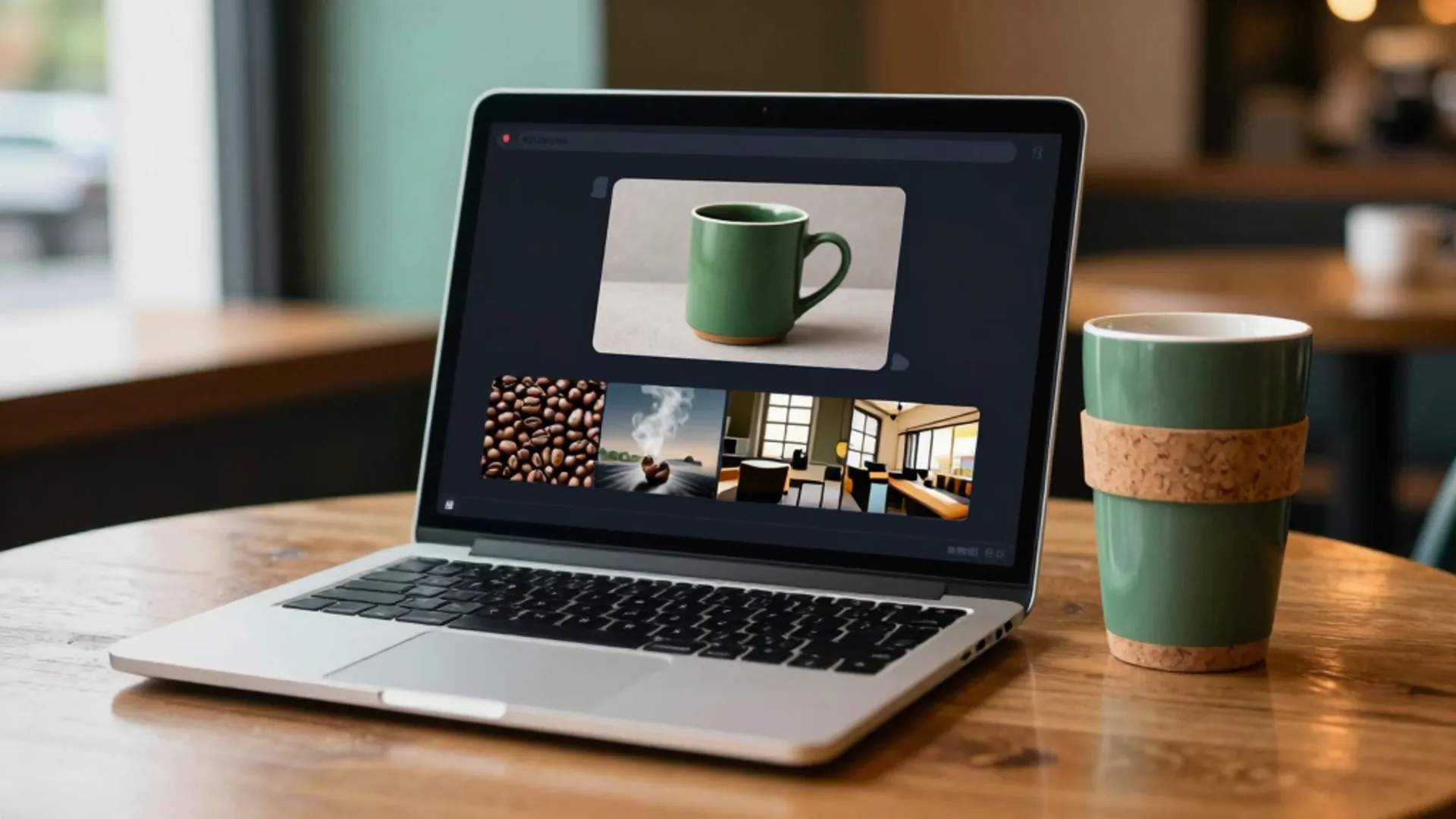
Most of what I make on Higgsfield now starts in a chat window instead of on the website. This guide is the setup I wish I’d had at the start, wrong turn included.
To use Higgsfield MCP, add a custom connector in Claude that points to https://mcp.higgsfield.ai/mcp, sign in to your Higgsfield account, then ask for images and videos in plain language. There’s no API key. Every generation spends the credits of your paid plan at standard rates.
Everything below was made from the Claude chat window through the Higgsfield AI connector: an image, a Kling clip from that image and a Katana edit. One more image came from ChatGPT through its plugin, and Claude Code gets its own step because the setup is different. One connector in Claude’s own directory looks right and can’t generate anything, so that’s where I’ll start.
Pick a plan, connect it to the chat app you already use and ask for your first image in plain language.
Open Higgsfield →A paid Higgsfield plan is the floor. Starter at $19 a month is the cheapest way in, and the Higgsfield review has the full price list. Beyond that, a Claude account (the website or the desktop app) or ChatGPT, and the right Higgsfield account signed in on higgsfield.ai.
MCP, the CLI, Canvas and Supercomputer never use Unlimited models or free generations. Those only work on higgsfield.ai itself.
Add a custom connector with the server URL https://mcp.higgsfield.ai/mcp, then sign in to the Higgsfield account that holds your plan.
Customize → Connectors → Yours.Add (top right) and choose Add custom connector.https://mcp.higgsfield.ai/mcp, then click Continue.Add.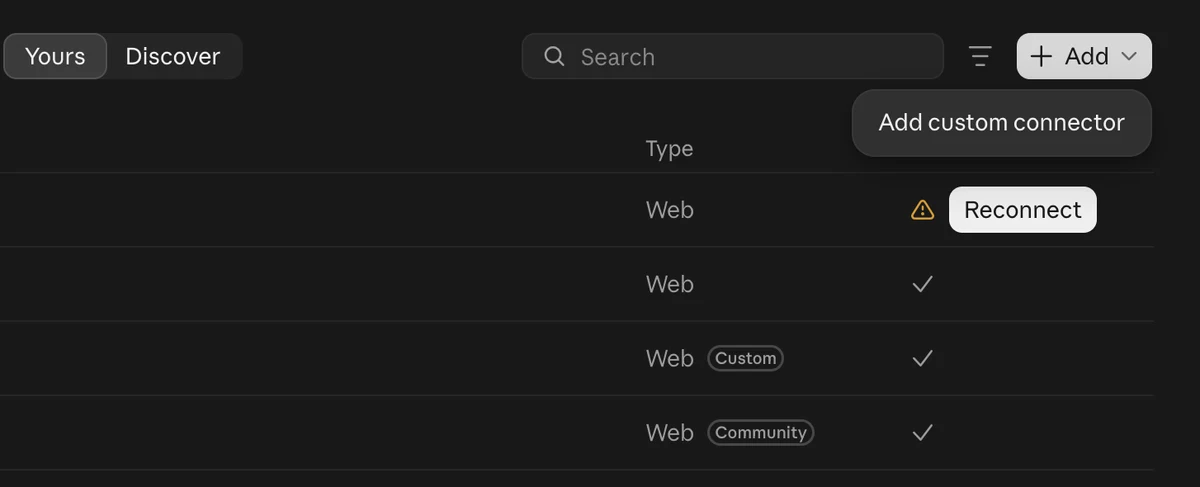
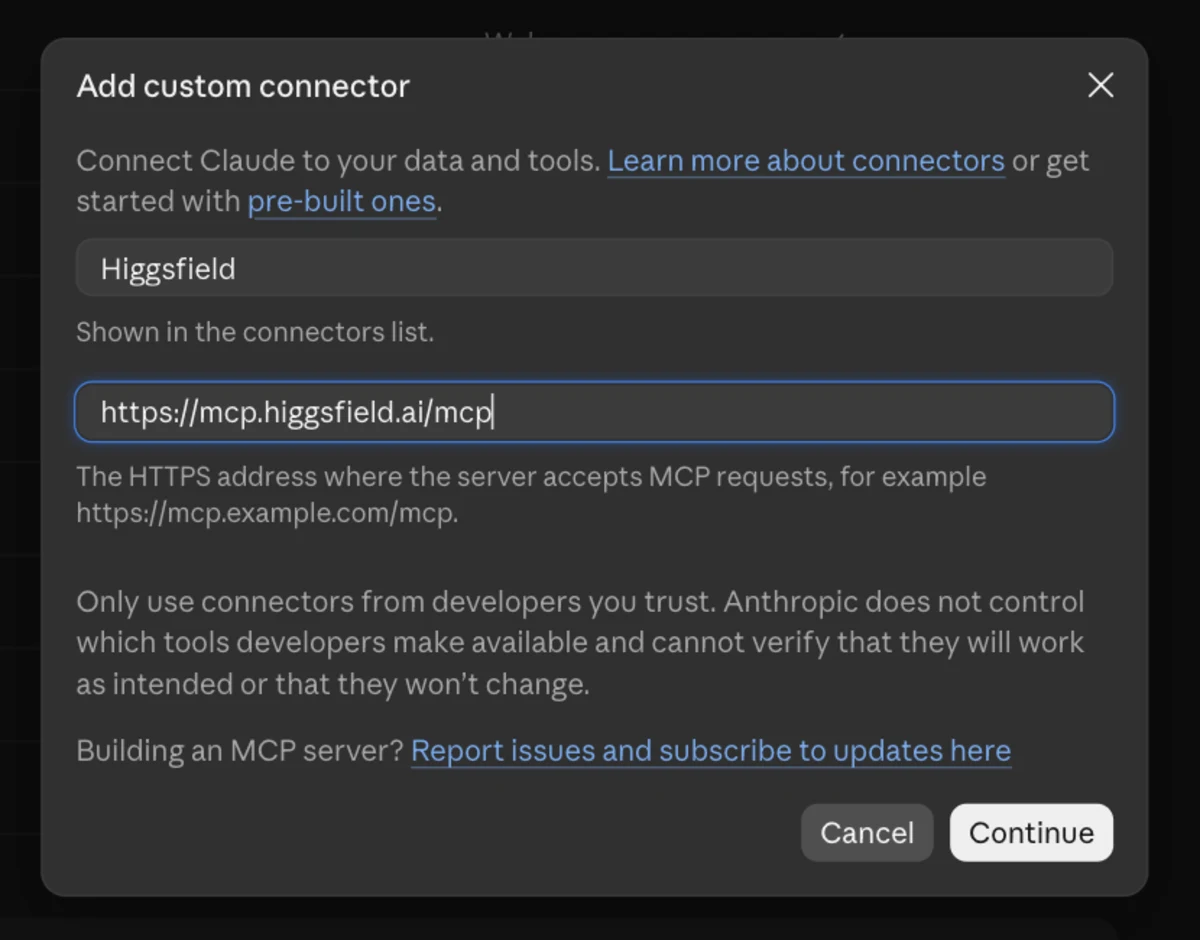
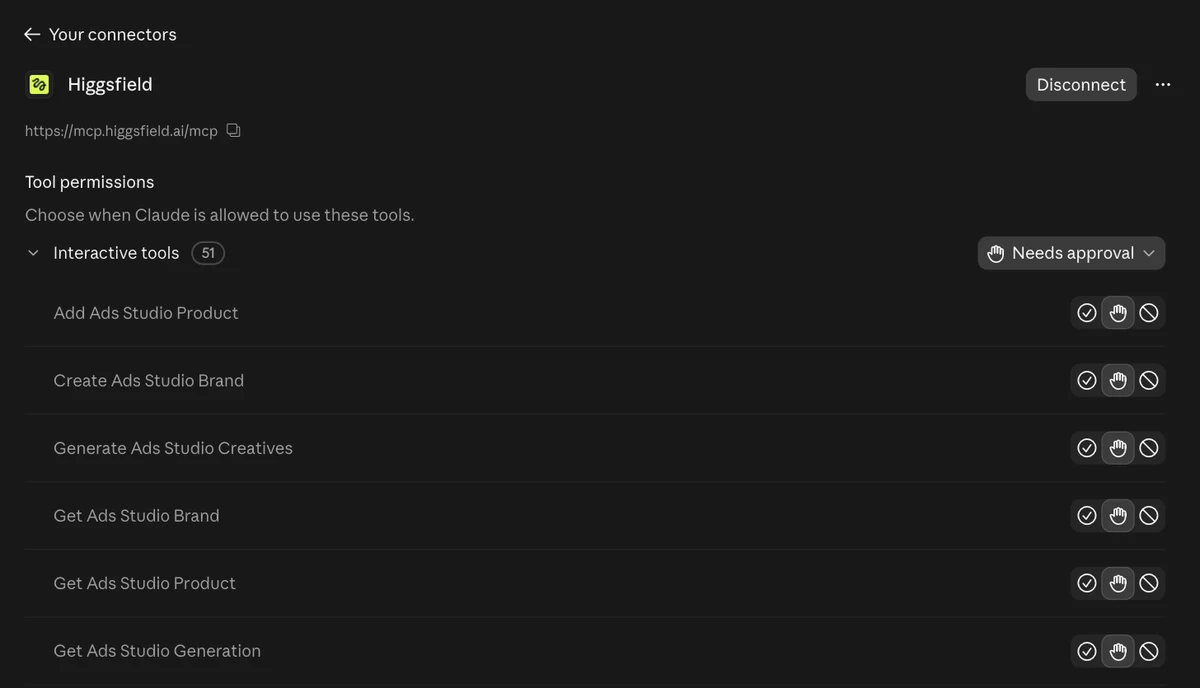
Skip the entry in Claude’s directory. It’s listed as “Higgsfield AI (Community)” and it’s a small bridge for Claude Motion videos with seven tools, covering balance, workspaces, models and generation history. Ask it for an image and Claude tells you it has no generation tools.
The custom connector at mcp.higgsfield.ai/mcp is the real one. It exposes about 150 tools, covering images, video, Katana, Soul characters, dubbing, voices, upscaling and publishing. It works the same on the website and in the desktop app, since both share your account. If Chrome is already signed in to higgsfield.ai, the approval goes through without a prompt.
If Connect goes through without ever showing a Higgsfield sign-in page, Claude reused an earlier login. Remove every Higgsfield entry under Yours, clear the browser’s site data for clerk.higgsfield.ai and mcp.higgsfield.ai, then add the connector again and sign in to the account that holds your plan. Clearing that data logs you out of higgsfield.ai too, so expect to sign back in there.
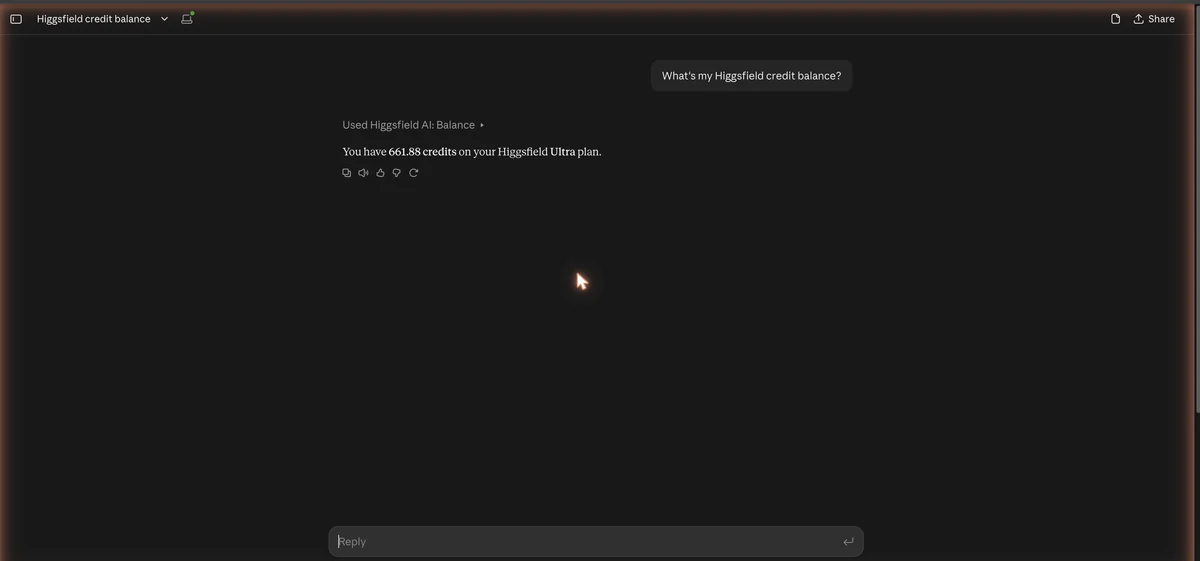
Ask Claude for your Higgsfield credit balance; the answer names the plan and the credits of the selected workspace.
The first time, Claude asks permission to use the tool, because every connector tool starts on “Needs approval”. The answer names your plan and the credits of the selected workspace, which is the check that the right account is connected. If the workspace shows as “not selected”, tell Claude to select it. The connector never shows your e-mail, only workspace IDs.
If the approval prompts get tiring, open Customize → Connectors → Yours, pick Higgsfield and set a tool to Always allow under Tool permissions.
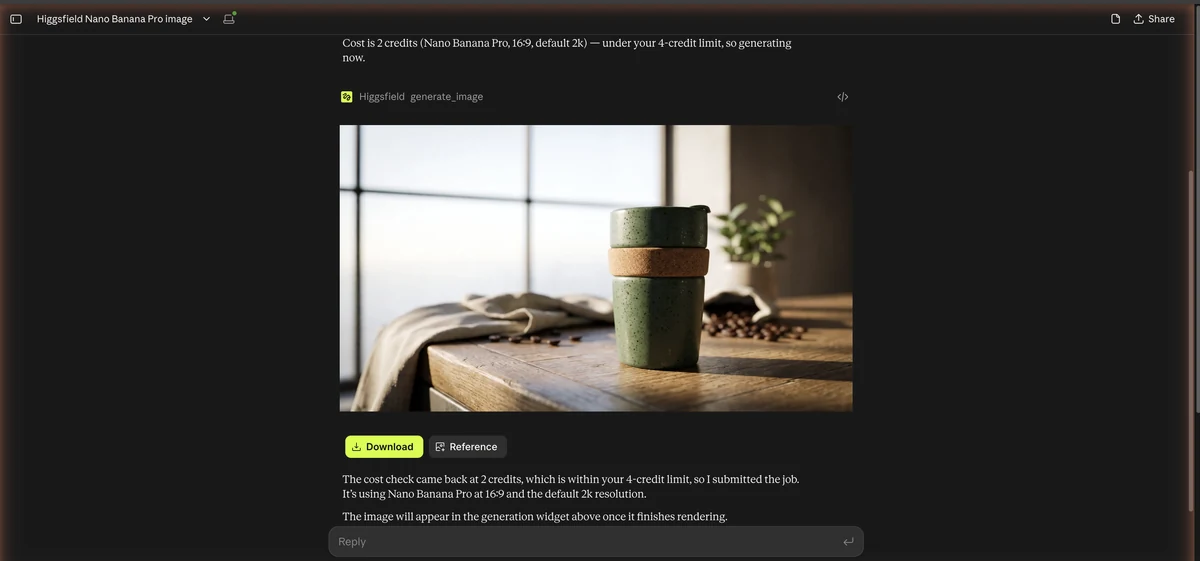
Name the model, the aspect ratio and the prompt, and ask Claude to tell you the credit cost before it generates.
I asked for Nano Banana Pro in 16:9 and told Claude to go ahead if it was 4 credits or less. My prompt was “a matte forest-green ceramic travel mug on a wooden cafe counter, soft morning window light, product photo, shallow depth of field”. The cost came back at 2 credits, Claude generated it at the default 2K, and the image showed up in the chat with Download and Reference buttons.
One oddity. The credit ledger charged it as Nano Banana Pro, but the generation history labels it nano_banana_2, so I can’t tell from the records which model rendered it.

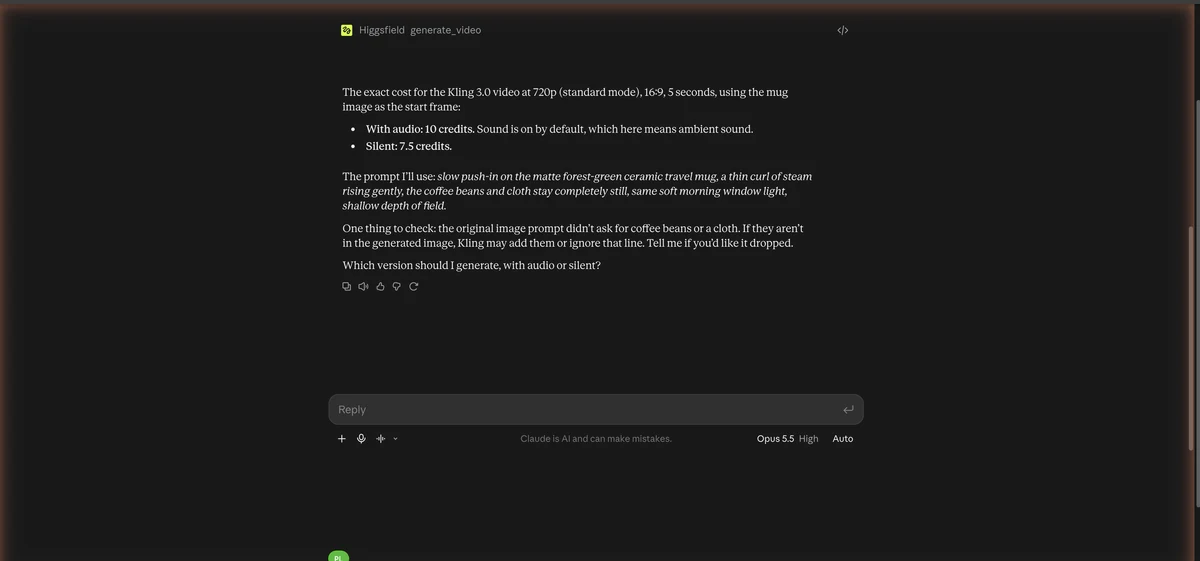
Ask for the video model, resolution and length, have Claude quote the credits and wait for your go, then approve.
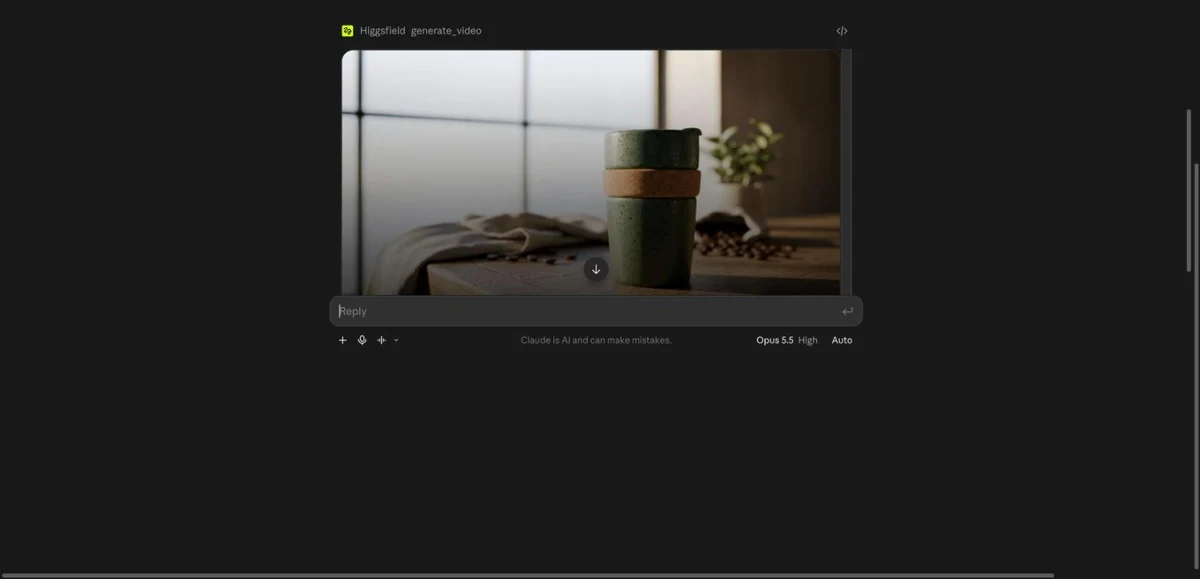
I asked for a 5-second Kling 3.0 clip at 720p, 16:9, with the mug image as the start frame. The quote was 10 credits with audio, since ambient sound is on by default, or 7.5 credits silent. Claude wrote the motion prompt itself: “slow push-in on the matte forest-green ceramic travel mug, a thin curl of steam rising gently, the coffee beans and cloth stay completely still, same soft morning window light, shallow depth of field”. I said go with audio.
The clip came back in about two minutes, 5 seconds at 1284×716 with an AAC track. The push-in and the steam are there, and the beans and cloth stay put, which is what I asked for. If you want to see how Kling behaves in its own app, my Kling AI tutorial covers the settings.
Type /katana to open the preset catalog, pick a preset, let Claude analyze and plan for free, and approve the quoted total before any paid job.
/katana to open the preset catalog./katana/preset-name.Katana is Higgsfield’s editing skill for Claude, published on October 12. You give it a reference edit, either a preset from the catalog or your own clip, plus up to five photos of a product, character or outfit. It rebuilds the edit with your material, matching the reference’s shot order, pacing and cuts.
Typing /katana opened a catalog card of community presets, the first 20 of about 100, and /katana/preset-name runs one directly. Reference files for your own presets run 3 to 30 seconds. Claude picked “Cinematic Perfume Commercial” for the mug, the only preset built around a product hero shot.
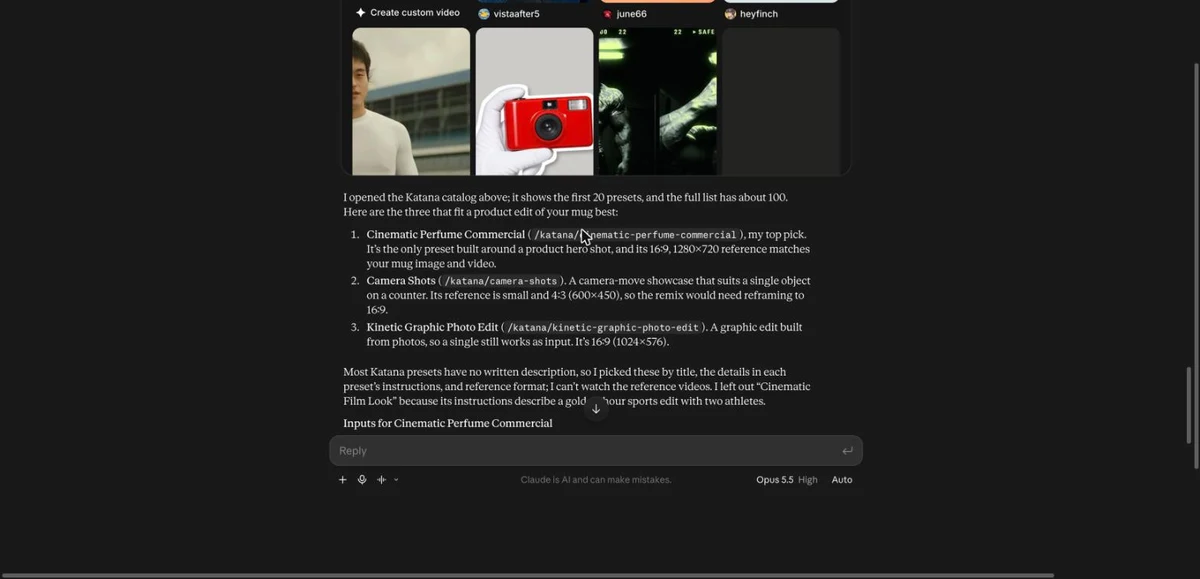
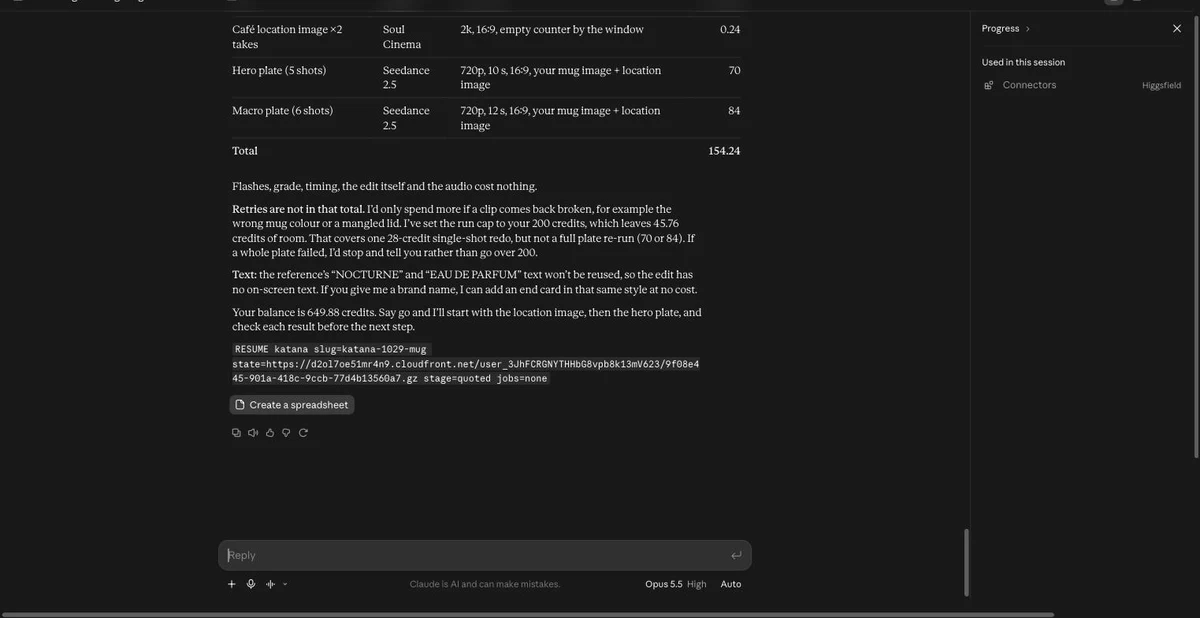
Claude read all 468 frames of the 19.5-second reference before planning. Katana can’t quote one flat price up front. Analysis and planning are free, then each planned still and clip gets an exact price. Mine looked like this.
| Piece | What it was | Credits |
|---|---|---|
| Café location image | Two takes, Soul Cinema 2K | 0.24 |
| Hero plate | 5 shots, Seedance 2.5, 720p, 10 s | 70 |
| Macro plate | 6 shots, Seedance 2.5, 720p, 12 s | 84 |
| Total | 154.24 |
Flashes, grade, timing, the edit and the audio cost nothing, which surprised me. I approved it and Claude started.
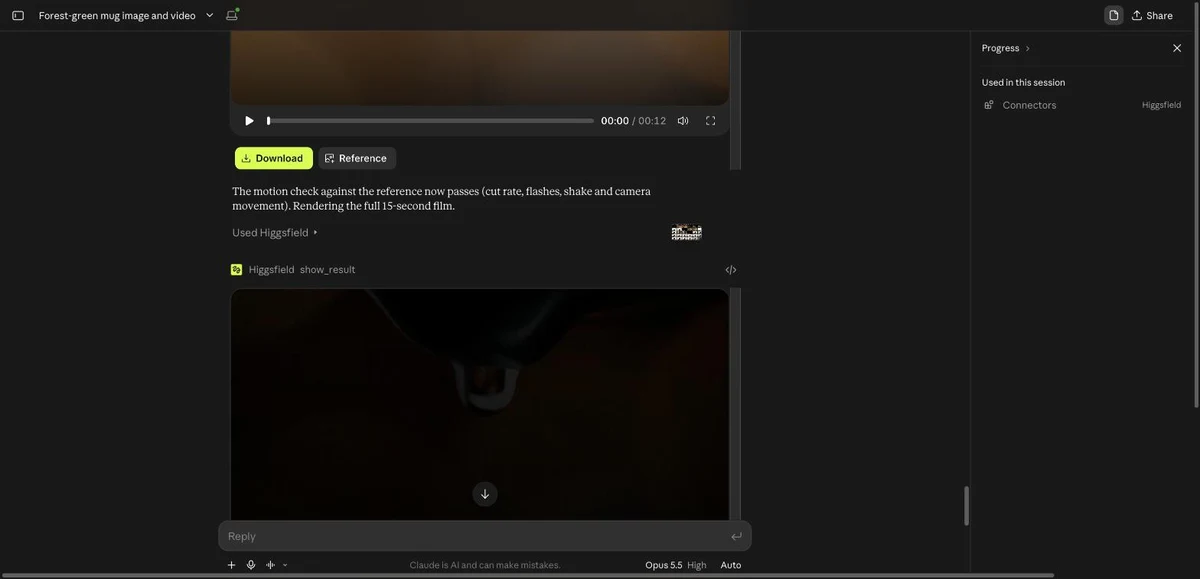
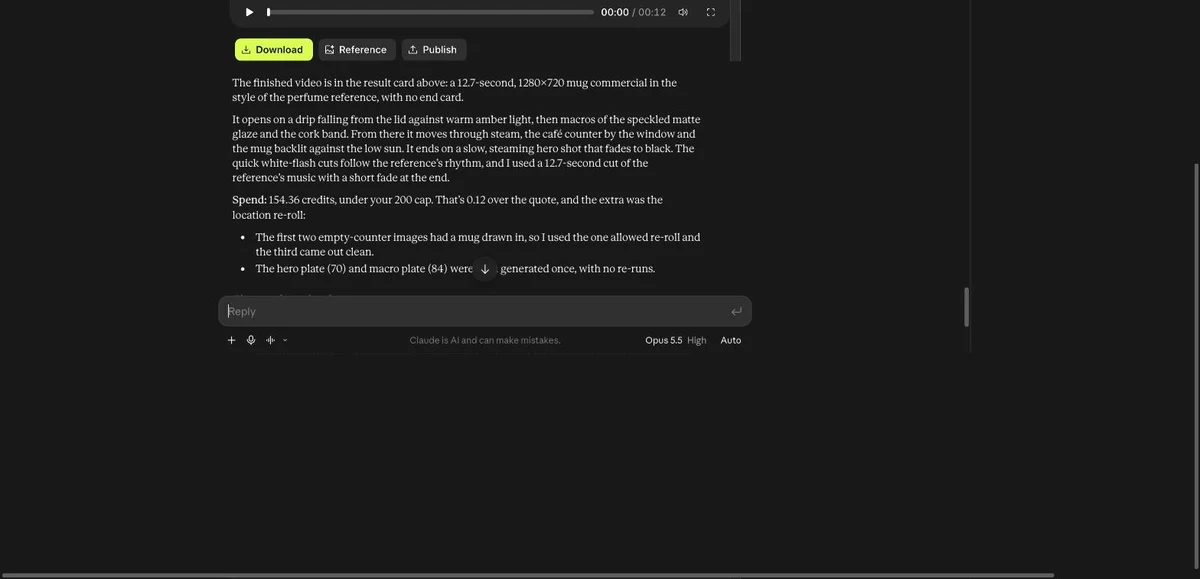
What came back is a 12.7-second 1280×720 commercial in the perfume ad’s rhythm. There are white-flash cuts, macro details, a drip from the lid against amber light, steam, the mug backlit by a low sun and a fade to black, with a 12.7-second cut of the reference’s music underneath. The whole run took roughly 20 minutes, analysis included.

It wasn’t perfect. The first two empty-counter location images had a mug drawn in, so Katana needed a third take, which is why the spend landed at 154.36 credits, 0.12 over the quote. Two macro shots were dropped because the lid disappeared in them, so the edit runs 12.7 seconds instead of 15. The opening drip also reads as clear water rather than coffee. Claude offered a single 28-credit shot to fix either one, and I left it.
Run claude mcp add --transport http higgsfield https://mcp.higgsfield.ai/mcp, then log in from inside a session with /mcp.
claude and type /mcp.higgsfield, choose Authenticate, approve in the browser.claude mcp list.claude mcp add --transport http higgsfield https://mcp.higgsfield.ai/mcpThe command prints “Added HTTP MCP server higgsfield” and stores it in your local config. Right after that, claude mcp list shows the server as “Needs authentication”, which is expected until you log in from /mcp. The list also includes the connectors you already have in claude.ai, so you may see both “Higgsfield” and “Higgsfield AI” there, and the first is the one you want.
Higgsfield also publishes a CLI route for coding agents. npx skills add higgsfield-ai/skills installs three skills (generate, soul and product-photoshoot), higgsfield auth login signs you in and /higgsfield:generate runs a generation. Same credits, same rules. I used the MCP route, not this one.
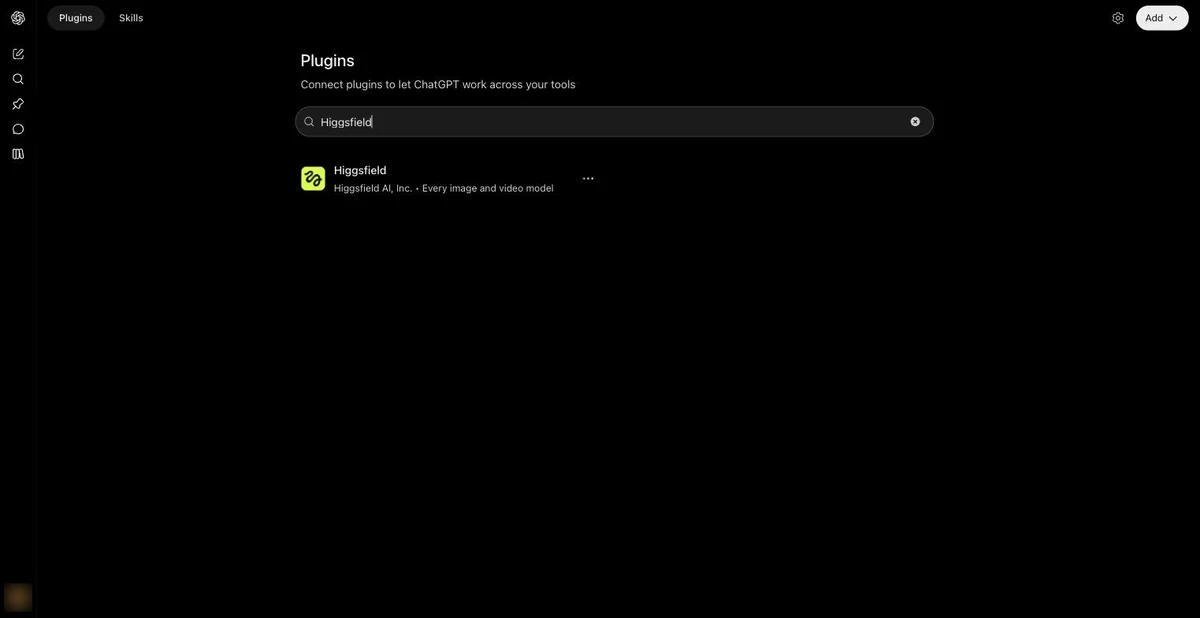
Open the ChatGPT Plugins Directory, add Higgsfield, sign in, then mention Higgsfield in a chat and ask for your balance.
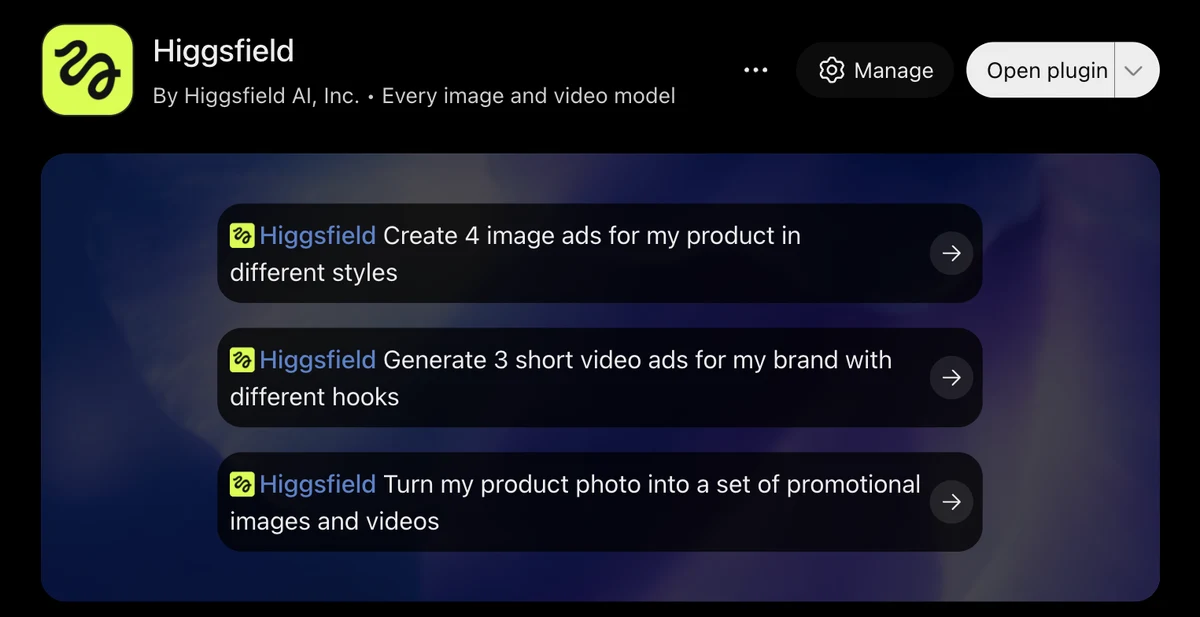
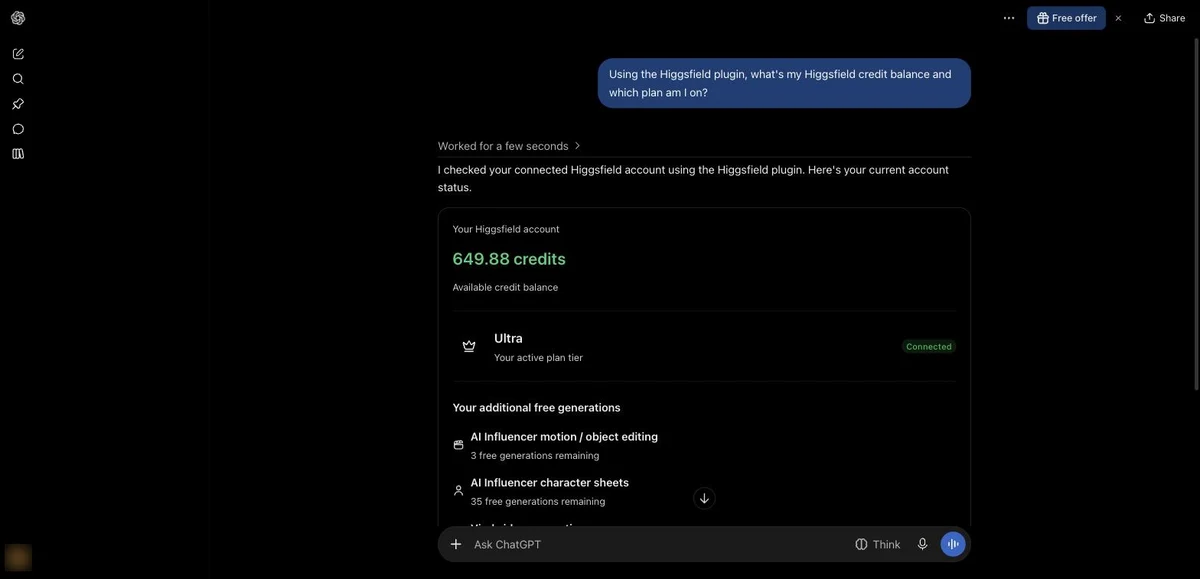
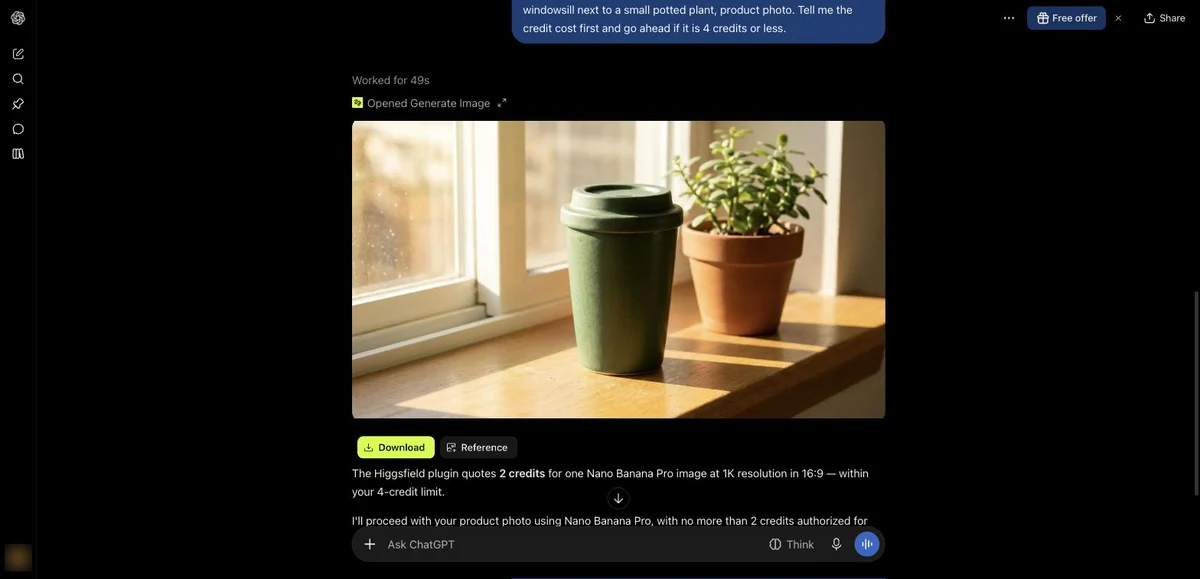
Plugins in the left rail, or the + menu in a chat) and search for Higgsfield.Add on the Higgsfield plugin and sign in to Higgsfield.It worked on a Free ChatGPT account for me. Asking for the balance in a new chat returned an account card with the plan, the credit balance and any free generations still on the account. The image request, Nano Banana Pro in 16:9 at 1K, a mug on a sunny windowsill next to a small potted plant, was quoted at 2 credits and came back in about 49 seconds with Download and Reference buttons. It showed the same nano_banana_2 label quirk.
Audio generation works in Claude but not in ChatGPT, and plugin availability can depend on plan, region and workspace.
The plugin page lists slash commands for presets (/effects, /product, /motion, /marketing-studio) and named workflows (/hero-shot, /reel-cover, /genjutsu). Once it’s installed, the page shows Manage and Open plugin buttons.
No. You need an active paid plan, every generation spends credits at standard rates, and the Unlimited models stay web-only. There’s no built-in spending cap either, so the habit that worked for me was asking the agent to quote the cost and wait for my go.
| What the test run cost | Credits |
|---|---|
| Image (Nano Banana Pro, 2K) | 2 |
| Kling 3.0 clip, 5 s with audio | 10 |
| Katana location takes | 0.36 |
| Katana hero plate | 70 |
| Katana macro plate | 84 |
| Total in Claude | 166.36 |
The ChatGPT image added 2 more. For scale, Higgsfield’s Ultra plan comes with 3,000 credits a month, so the whole test used a bit over 5% of one month. The way I run these tests is on the how we test page.
Compare the Higgsfield plans, check the credits on each and decide which agent you'll connect first.
View Higgsfield Plans →MCP is for chat agents. Claude, the ChatGPT plugin and other agents such as OpenClaw, Hermes Agent, NemoClaw and Manus talk to Higgsfield through it, and you pay with your plan’s credits.
The CLI is for coding agents. The skills route above gives a terminal agent the same generation tools, on the same credits.
The API is a separate product for your own software. It uses API keys and its own billing, and your plan doesn’t cover it. If you only want to make images and clips from a chat, you don’t need it.
Every result shows up as a card in the chat with Download and Reference buttons, and Katana results add Publish. The same generations also appear in Assets on higgsfield.ai. The download links in chat are plain file links, so you can save them without signing in anywhere else.
If you’re weighing Higgsfield against going straight to a model’s own app, the Higgsfield vs Kling AI comparison lines up the prices and the output.
No, Higgsfield MCP needs an active paid Higgsfield plan, with Starter at $19 a month as the cheapest. Every generation spends plan credits at standard rates, and Unlimited models and free generations work only on higgsfield.ai, never through MCP. Higgsfield's developer terms also make you responsible for what an agent generates on your account.
Add a custom connector in claude.ai under Customize → Connectors → Yours → Add → Add custom connector, named Higgsfield, with the server URL https://mcp.higgsfield.ai/mcp. Press Continue, then Add, and approve the sign-in on the Higgsfield page that opens. Ask for your balance to confirm the right account is connected.
You most likely added the "Higgsfield AI (Community)" entry from Claude's directory, which is a bridge for Claude Motion videos with seven tools and no generation. Remove it and add the custom connector at https://mcp.higgsfield.ai/mcp, which exposes about 150 tools including image and video generation.
It depends on the model, length and resolution, and the agent can quote it before it spends anything. A 5-second Kling 3.0 clip at 720p cost me 10 credits with audio and 7.5 without. A 12.7-second Katana edit with two Seedance 2.5 plates came to 154.36 credits.
There's nothing to install, because Higgsfield MCP is a hosted server you reach by URL. The GitHub repos you may find are third-party. The official route for coding agents is the CLI skills, which install with npx skills add higgsfield-ai/skills.
Yes, Higgsfield has an API, and it's a separate product from MCP. It uses API keys and its own billing, while MCP signs in to your account and spends your plan's credits.
 Featured 20 min read
 Higgsfield AI review: on the Ultra plan, I ran the same prompts on Kling 3.0, Seedance 2.5 and Veo 3.1 and priced every clip in credits and cents.
Read Article → 21 min read
 Higgsfield vs Kling: Higgsfield runs Kling 3.0 from $19/mo next to Seedance and Veo; Kling's own app has Kling 4.0 from $8.80/mo and 66 free credits a month.
Read Article → 11 min read
 How to use Kling AI 3.0 step by step: write a prompt, set 720p or 1080p, add a start frame, try Motion Control, and stretch 66 free credits a month.
Read Article →